


video tutorials for social media
How to translate Hindi to English video subtitles?
One thing that almost all the content creators of the internet in 2025 learnt pretty fast is that “people don’t always speak the same language as your audience”.
A video that’s perfectly clear in Hindi would not mean much to someone scrolling in London or Toronto unless you make it accessible. To do that you want to translate Hindi to English video subtitles. That’s where subtitles come in, and honestly, translating them does not have to be complicated or tiring. It just needs the right tool.
English captions or subtitles are not just the translation, it is the core of video engagement and accessibility. Subtitle generator like SubtitleBee take the mess out of subtitle work and let you work in one place, from generating subtitles to translating them.

We will discuss why you should add English subtitles and how SubtitleBee helps you do that later in the blog. Let’s first start directly with how to add Hindi to English video subtitles.
Steps to translate Hindi to English video subtitles?
Follow these steps to translate your Hindi video subtitles to English subtitles in a few steps:
1. Create an account
Head over to SubtitleBee’s website and sign up with your email, it takes less than a minute. It is a browser based platform so you do not need to download or install anything.

2. Upload video
SubtitleBee accepts all major video formats including MP4, MOV, AVI, and MKV. After logging-in you can upload your video. Click the “Upload New File” option.
It asks you to provide the original language of your video content. By default the selected language is English.
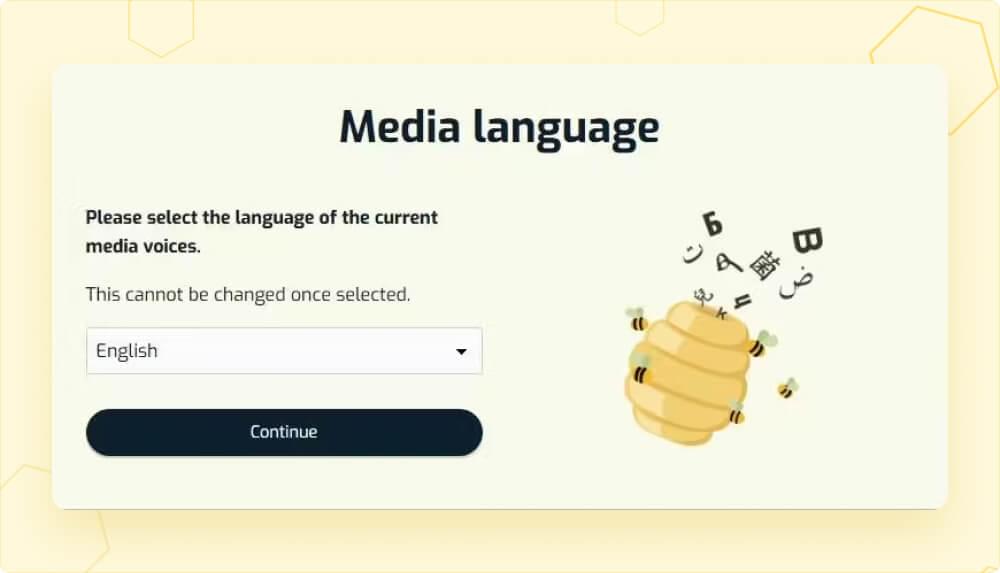
Since my video is in Hindi language and I want to translate Hindi subtitles, I have selected Hindi here. Press ‘Continue’.
In the next window, to upload your video you can:
- Drag and drop the file
- Use the browse option
- Paste the YouTube video link
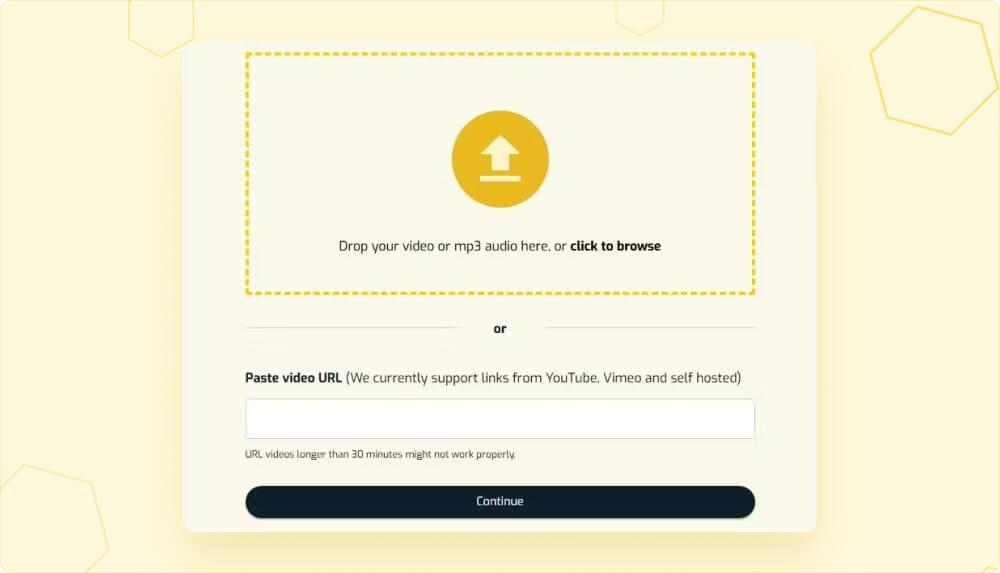
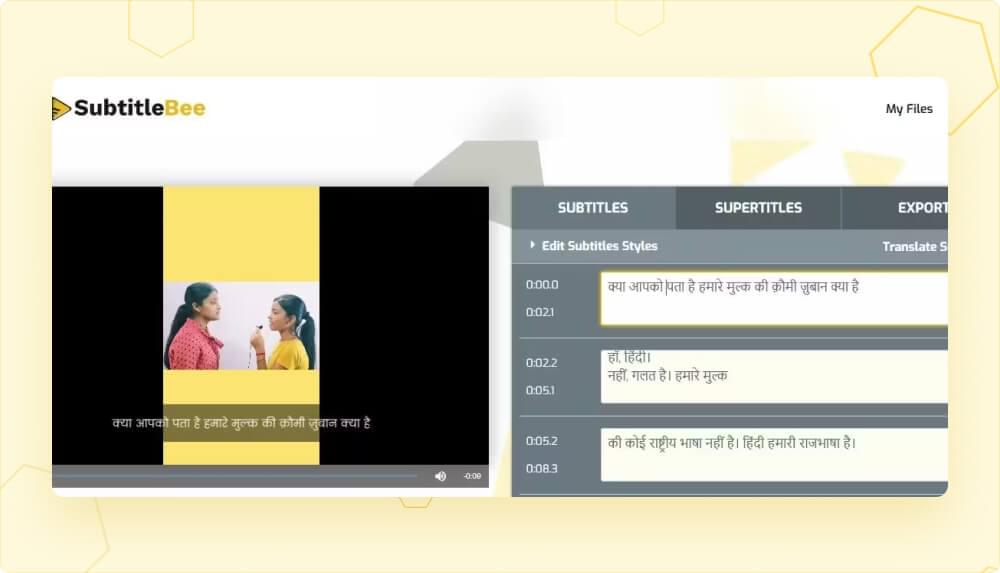
Once your video uploads, SubtitleBee’s smart AI video translator automatically detects the language in your video and creates subtitles.
3. Edit the transcription
In a few moments it has generated Hindi subtitles for my video here. Now using SubtitleBee’s built-in editor, I will review and edit these subtitles so that when I translate these Hindi subtitles into English subtitles, there are no mistakes.
4. Translate to English subtitles
Once you are happy with the edited transcription, it’s time to translate to English subtitles.
Click the “Translate Subtitles” at the right corner and select “English” from the ‘new subtitle language’ dropdown. Click “Add Subtitles” button at the bottom.
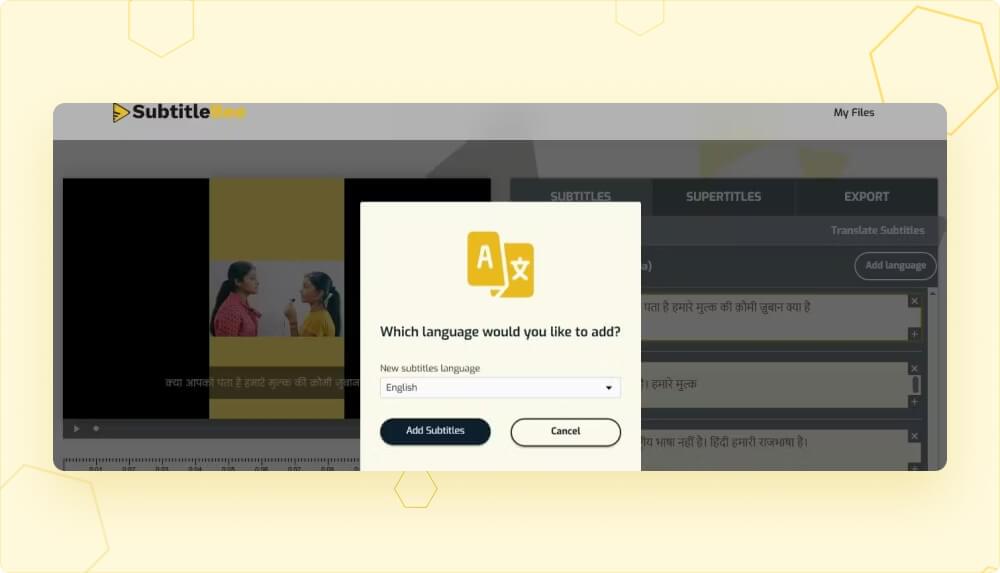
Congratulations, you have successfully translated Hindi to English subtitles for your video and now you have subtitles in two different languages on your dashboard, Hindi subtitles and English subtitles.
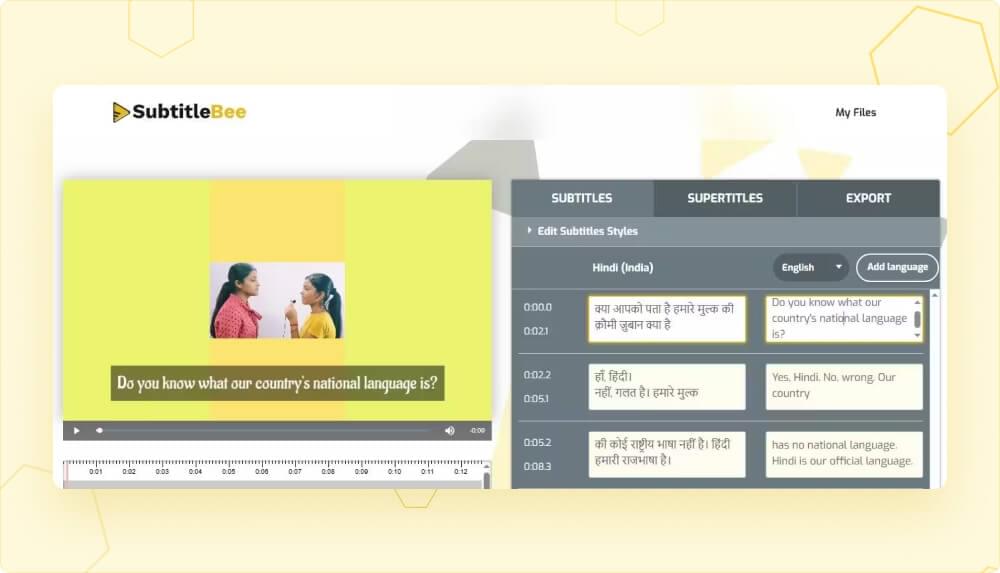
You can add more language translations from any of the 120+ supported languages using the same simple process. All you have to do is keep clicking the “Add language” option.
5. Export video
When you are ready, go to the “Export” tab in the right corner.
- Give your project a name.
- Select “English” from the “Language of subtitles to export” dropdown. This is important so that the video is exported and subtitles files are generated in English language.
- Then press the “Export” button at the bottom & your Hindi video subtitle translation to English subtitles is done.
The Export button will then take you to ‘My Files’ where you can download your video with the English subtitles permanently embedded (burned-in). You can export the English subtitles file separately in four different formats such as SRT, VTT, ASS, or TXT files.
Why translate Hindi subtitles to English subtitles?
English subtitles turn Hindi content into something the entire internet can understand. The moment you add them, your video is no longer limited to Hindi-speaking viewers. It becomes accessible to global audiences, searchable in English. English subtitles make content viewable even on mute which is how most people watch videos today.
Interestingly enough, when it comes to translations (subtitles or dubbing), most people in India prefer to have foreign or regional content translated in English (71%), followed by Hindi (23%).
How to create high-quality Hindi to English subtitles?
The short answer is, Review the Hindi subtitles. Here’s why converting Hindi video to English subtitles is not as simple.
Hindi videos have different regional accents. The characters use slang and the conversation is casually mixed with English phrases. Therefore, a basic word-for-word translation is insufficient. What you need is proper review of Hindi subtitles before translation in English subtitles. This is the only way to create high-quality English subtitles which effectively cover the dialogues and intent of the original dialogue.
Reference reads:
How to Auto-generate subtitles for movies?
How to add yellow subtitles to videos?
What is the difference between translation and transcription?
Conclusion
Learning how to translate Hindi to English subtitles does not have to be big of a task. SubtitleBee and other similar tools make it a lot easier. Simply, upload the video, generate subtitles, review and edit translate them before you translate them to any language.
FAQs
How to convert Hindi video into English subtitles?
To convert a Hindi video into English subtitles, start by:
- Uploading your video to SubtitleBee. The tool will first generate Hindi subtitles.
- Once the Hindi subtitles are created, review and edit them to fix any errors.
- After that, use the translate option to convert the Hindi subtitles into English subtitles.
- Finally, export the video to get English subtitles file and Hindi video with burned-in English subtitles.
Which subtitle file format should you export?
Most platforms prefer SRT because it’s the standard. However, VTT is useful for web players, and burning the subtitles directly into your video. SubtitleBee supports both of these subtitle file formats, so you can pick whatever fits your platform.
How to get English subtitles for a Hindi video?
- Upload your file to SubtitleBee.
- Select “Hindi” as the language of your video.
- Review and edit the Hindi subtitles if necessary.
- Click “Translate subtitles” and select English.
- Click on “Export” and choose your preferred file format.
- Download the English subtitle file.



Add and translate your subtitles to more than 100 languages with high accuracy
Our solution
SubtitleBee
Make your video understandable by using SubtitleBee for free
Start now for freeTop Articles

Getting Started with AI-Powered SubtitleBee

3 Effective Ways To Add Subtitles To Video Online Without Watermark

VEED vs. Kapwing: Which Subtitle Generator wins?

Kapwing vs. SubtitleBee: Which subtitling tool should you choose?

5 Top Verbit Alternatives for Transcription