


video tutorials for social media
What are subtitles and why they matter in every video
Have you ever noticed what is a subtitle? because they are in every video. They have become a critical part of film, television and social media. The effectiveness of subtitles can make or break an entire story. It is one of the most commonly used yet under-appreciated tools.
Honestly, subtitles are what let us really follow along with movies, TV shows, and even social media videos. Subtitles also make the videos accessible and translatable.
This is THE ultimate guide to the question ‘what is a subtitle’, tips to create best subtitles and how you can add subtitles to your videos.
History of subtitles
The history of subtitles dates back to the late 19th century. Magic lanterns, sliding-image projectors that predated film, would sometimes use subtitles to illustrate dialogue. With the advent of silent cinema, filmmakers used intertitles to convey dialogue.
The first real, modern-style use of subtitles appeared in The Jazz Singer back in 1929 which was the very first synchronized sound film. When it played in Paris, they actually added subtitles so the audience could follow along.
Today, subtitles are way more advanced. No extra projectors and no complicated setups. They are built right into the video.
Why are subtitles still used by video creators, marketers and businesses?
Subtitles help more people watch a film and stay connected to the story. They do more than just show words in a film or video. The main reasons why they are used so widely are:
- Subtitles are used to provide dialogue clarity in a video or movie.
- Subtitles are a translation which converts dialogue from one language into another for those viewers who do not speak the original audio language.
- Subtitles are a transcription that represents spoken words visually for those who can hear but may prefer or need to read language simultaneously.
- Subtitles provide 91% accessibility to your video by letting people watch content on mute, by translating speech to foreign languages, or by helping people who cannot hear, understand content.
- Subtitles let everyone access and understand audiovisual storytelling on their own terms, regardless of language or auditory ability.
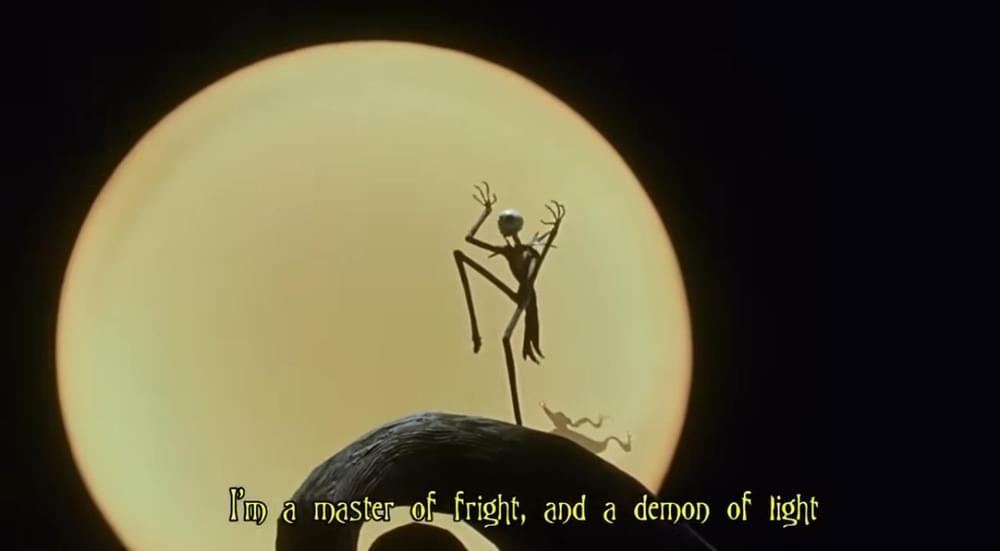
- Subtitles can enhance a film’s content beyond just transcription or translation. It can emphasize or punctuate important lines. How subtitles appear can totally change the mood of a show. Just look at this screenshot, don’t the subtitles look kind of scary? 🙂 .
Understanding subtitle types and formats
Videos today reach global audiences. Most people watch without sound, or in languages they don’t know. That is where subtitles do the job and make every video understandable and accessible to a bigger audience. Let’s understand what are subtitles and their types.
Subtitles
A subtitle is a text shown (usually at the bottom) on a screen that displays spoken words in a video. They are synced with the audio so that viewers can read dialogue as they are spoken. Subtitles are either in the same language of the video (transcript) or are a translation in a different language.
Subtitles have a variety of uses and based on these uses, they can be put into two categories. All of these uses can be put into two categories.
Intralingual subtitles (Same-language transcription)
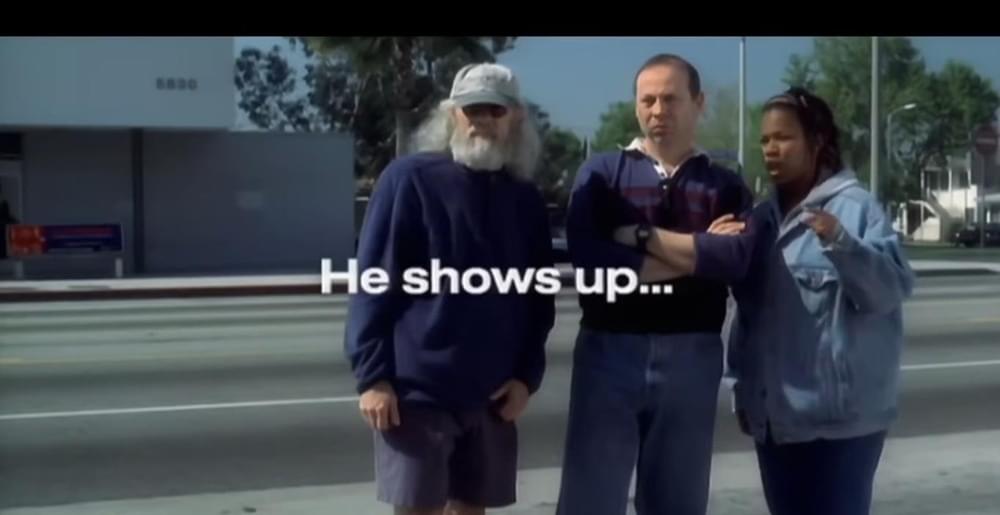
Intralingual subtitles are transcriptions of the dialogue in the same language. They may be used to clarify muddled audio. They can also help an audience understand a speaker with a thick accent, or they can also be used if the dialogue cannot be heard at all.
Interlingual subtitles (Translation into another language)
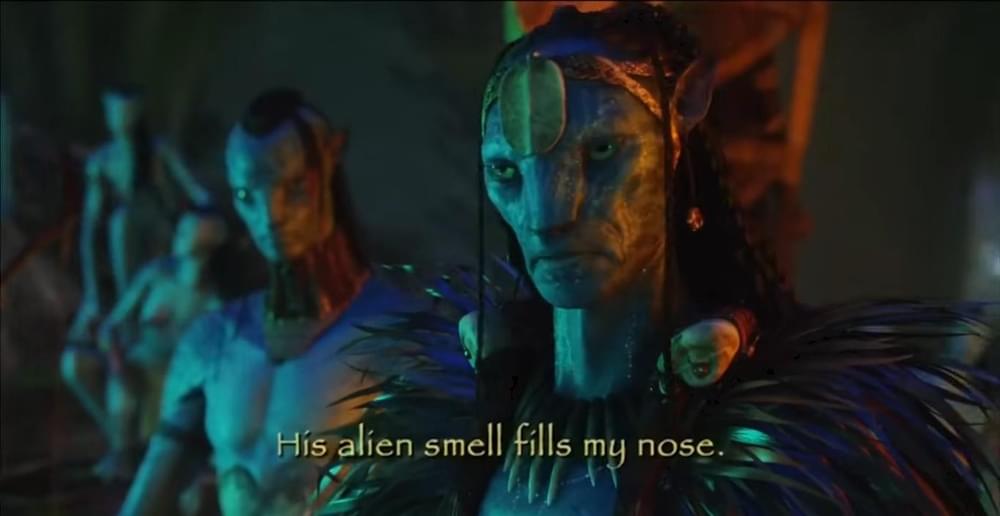
These subtitles translate dialogue into another language. They are key for films with global ambitions. Interlingual subtitles can also translate fictional languages, leading the audiences in a fantastic world. Interlingual subtitling can affect how an entire population perceives a film, so accuracy and context are crucial.
What are soft subs?
Soft subtitles are separate files that work with your video. They can be turned ON or OFF by the viewer. They often come in formats like .SRT, VTT, etc.
Because soft subs are not permanently fixed into the video, you can:
- Choose language options
- Edit subtitle text without re-uploading the video
- Let viewers decide whether they want them or not
What are hard subs?
Hard subtitles (also called hardsubs) are burned into the video picture itself. That means they are always visible and cannot be turned off. Hard subs are part of the video, just like the image and audio. Once created, they stay there forever unless the video is re-edited and re-rendered.
Captions
Captions are the transcription of speech and non-speech audio information in a video. They display the same language as is spoken in the video.
Captions include dialogues, sounds, speaker identification, music, and voice changes. They mostly appear in white text with a black background and can be turned on / off.
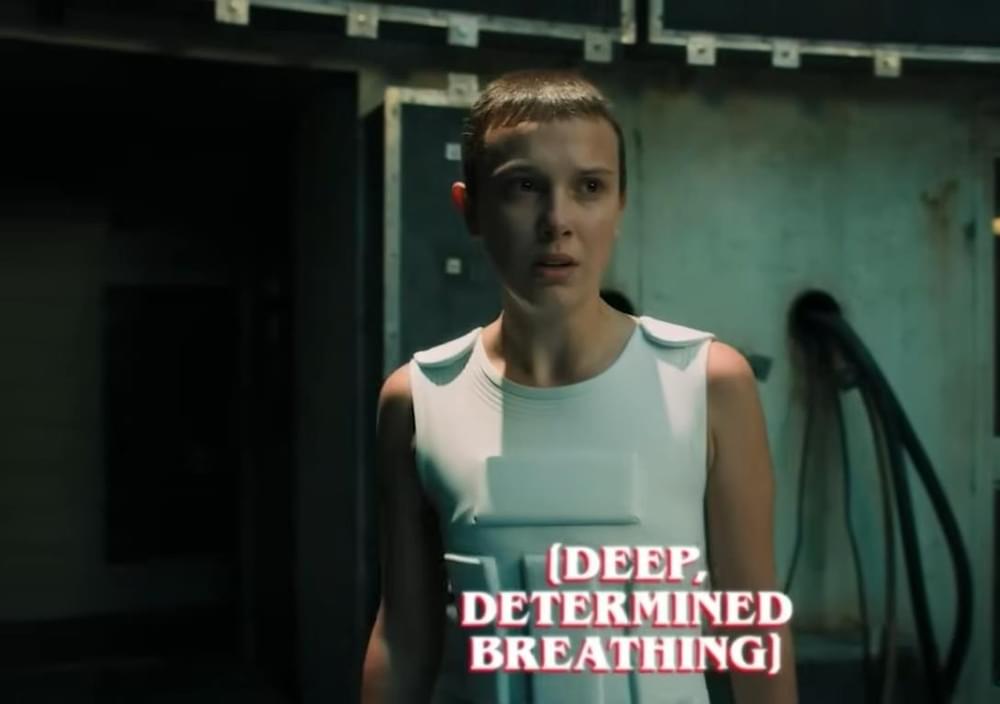
In short, captions assume that the viewer cannot hear a thing, so they over-explain the video content. 😀
Related read: Closed Captioning vs subtitles: what’s the difference
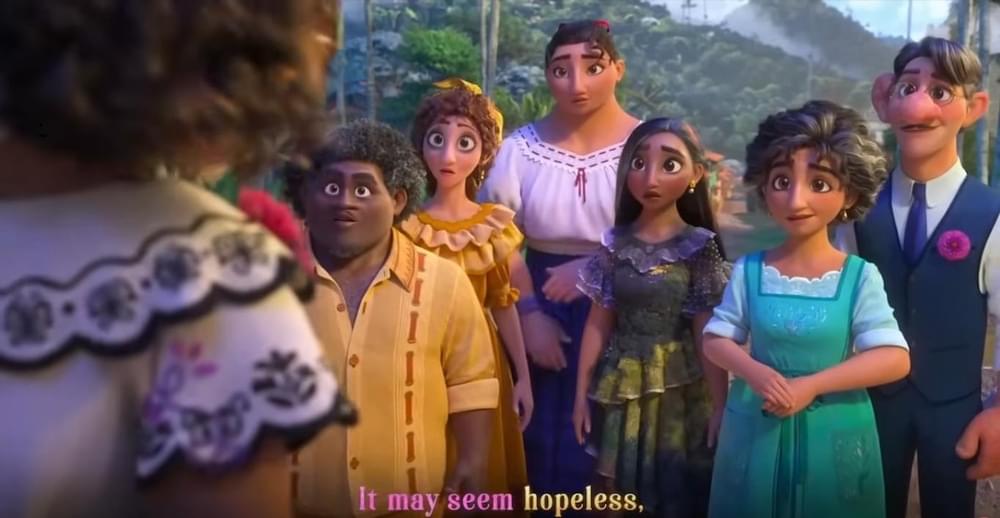
Karaoke subtitles
Karaoke subtitles are one of the less common types of subtitles, they are commonly used when there’s a poem or song and are used to encourage viewers to sing along to a song in the film or video.
Freeform subtitles
Freeform subtitles are used to convey visual cues or different languages and take a more experimental approach to text presentation. They appear different from the rest of the subtitles of the same video in terms of placement, font etc.
Related Read: how to add yellow subtitles font to videos
Choosing the right subtitle type for your video
Both hard and soft subtitles serve a purpose. The real question is not which one is better in general but which one works better for your specific content.
Before deciding, think about how your audience will watch your video. Are they using social media? Watching on a website? The platform, audience control, and purpose of the subtitles all matter.
Ask yourself a few practical questions.
- Will viewers have the option to turn subtitles on and off?
- Are subtitles needed only for certain parts of the video, such as translated dialogue?
- Is your content meant for an audience with different language needs?
- Or do all viewers require subtitles by default?
The answers to these questions usually make the decision clearer.
When hard subtitles make more sense?
Hard subtitles (also called burned-in subtitles) are permanently embedded into the video. They cannot be turned off.
Hard subs are useful when subtitles are essential for everyone watching. For example, when your video has foreign-language dialogue, use the hard subtitles for those clips because then the text becomes part of the video.
Hard subs are best for environments where viewers cannot control playback settings. Think conferences, public displays, or social media where users scroll quickly.
Since many people watch videos on mute, especially on platforms like Instagram or TikTok, hard subtitles communicate the message instantly.
When soft subtitles are the better option?
Soft subtitles are separate files that viewers can turn on or off.
Soft subtitles allow you to upload multiple language tracks. The viewer chooses what they need.
With soft subs, viewers can adjust size, styling, and sometimes background color depending on the platform. They work best for people who prefer to read along with the video or are Deaf.
Soft subs are also easier to update. If you spot a mistake, you can simply edit the subtitle file instead of re-editing the entire video.
Hard Subs vs Soft Subs
| Feature | Hard Subs | Soft Subs |
|---|---|---|
| Always visible | ✅ | ❌ |
| Turn on/off | ❌ | ✅ |
| Multiple languages | ❌ | ✅ |
| Easy to edit | ❌ | ✅ |
| Works everywhere | ✅ | ⚠️ (depends on player) |
Adding subtitles to your videos
No matter which subtitle type you choose, the process begins the same way: you need an accurate subtitle file.
The most common format is the SRT (SubRip Subtitle) file, however, whatever file format you choose, a subtitle should contain:
- the accurate subtitle number
- the accurate timecode (when the text appears and disappears),
- the accurate subtitle text itself.
Accuracy is a must. Poor timing or incorrect spellings can make subtitles distracting instead of helping.
Once your subtitle file is ready, the next steps depend on whether you are creating hard or soft subtitles.
How to add hard subs to your video?
To create hard subtitles, you need subtitle generating software like SubtitleBee that supports subtitle export.
SubtitleBee allows you to simply upload your video and edit and format the transcript. Once finalized, you export the video with subtitles burned into the frame. The subtitles become permanent and will appear the same way for every viewer.
How to add soft subtitles?
For soft subtitles, the process is usually simpler.
You upload your video to a hosting platform such as YouTube, etc. Then, you upload the SRT file separately through the platform’s subtitle or captions settings.
Most platforms automatically sync the subtitles using timecodes. You can preview and adjust them before publishing.
After you hit publish, viewers can decide if they want subtitles on or off. And if you’ve added a few languages, they can pick the one they like right from the settings.
Also read: Open caption vs closed caption: Key differences explained
Subtitles in Live streams
Subtitles are not for recorded videos only, they pop-up on Live streams as well.
Real-time subtitles make your videos watchable for everyone. With live captioning, what’s being said gets turned into text instantly—either by smart tools or pro captioners.
Creating subtitle for different audience
While subtitles come in many shapes and sizes, most follow guidelines to ensure readability. Over time, rules have been outlined by subtitlers to ensure that captions do their job. Otherwise, your audience may miss a line.
Here are some of the many different things that high-quality video subtitles, created by experienced professionals, have to take into account.
- First of all, you should decide whether you want to add open captions or closed captions to your videos.
- Subtitles should be no more than two lines and 50 characters/line.
- English subtitles should only have 12 - 15 characters per second of footage.
- Break text at natural pauses or syntactic units e.g., do not split first and last names.
- Subtitles need to be on screen long enough for an audience to be able to read them.
- Maintain consistent spacing between subtitles.
- Consider scene busyness; keep text brief on the frame if a lot is happening visually.
- Make sure your text pops against the background. If it’s hard to read, add a shadow or outline to your subtitles.
- Subtitle text needs to be in sync with the audio.
- Consider individual screen resolutions of social media platforms and know where your subtitle text begins and ends.
- Subtitles should be concise, readable.
Conclusion
Understanding what is a subtitle and what it can do can be overwhelming because good subtitling is both a science and an art. It expands a video’s potential audience and accessibility. Deliberate use can enhance storytelling, provide clarity, and improve audience engagement.
Tools like SubtitleBee, can assist in preparing subtitles for any type of video. Consistency, readability, and creativity should always guide the subtitler’s decisions.
FAQs
What is subtitling?
It is the process of creating text blocks to translate or transcribe a video’s dialogue.
What are subtitles?
Subtitles are the text you see on a screen that shows what people are saying in a video. They are usually at the bottom of the screen and help viewers understand dialogue.
What is an English subtitle?
An English subtitle is a subtitle that shows the spoken words in English on the screen. They are either an English transcript or English translation of a video.



Add and translate your subtitles to more than 100 languages with high accuracy
Our solution
SubtitleBee
Make your video understandable by using SubtitleBee for free
Start now for freeTop Articles

Getting Started with AI-Powered SubtitleBee

3 Effective Ways To Add Subtitles To Video Online Without Watermark
VEED vs. Kapwing: Which Subtitle Generator wins?
Kapwing vs. SubtitleBee: Which subtitling tool should you choose?

5 Top Verbit Alternatives for Transcription