


video tutorials for social media
How to Add Arabic Subtitles to Any Video?
Arabic is one of the most widely spoken languages in the world. Over 400 million people speak Arabic across the Middle East, North Africa, and throughout the world. Hence, learning how to add Arabic subtitles to your videos can help you reach a massive audience who prefer consuming content in their local language.
Moreover, adding Arabic captions is much more than just translation. It also increases the accessibility, engagement, and retention of your videos. The best part is that you don’t even have to go through the traditional time-consuming subtitle editing process anymore, as AI-powered tools like SubtitleBee can handle everything from start to finish in a few clicks.
We’ll also discuss the other benefits of adding Arabic subtitles and using SubtitleBee later in the article. But let’s start directly with the step-by-step process of adding Arabic captions.
Using SubtitleBee to add Arabic subtitles and captions
Follow these steps to add Arabic subtitles to your videos:
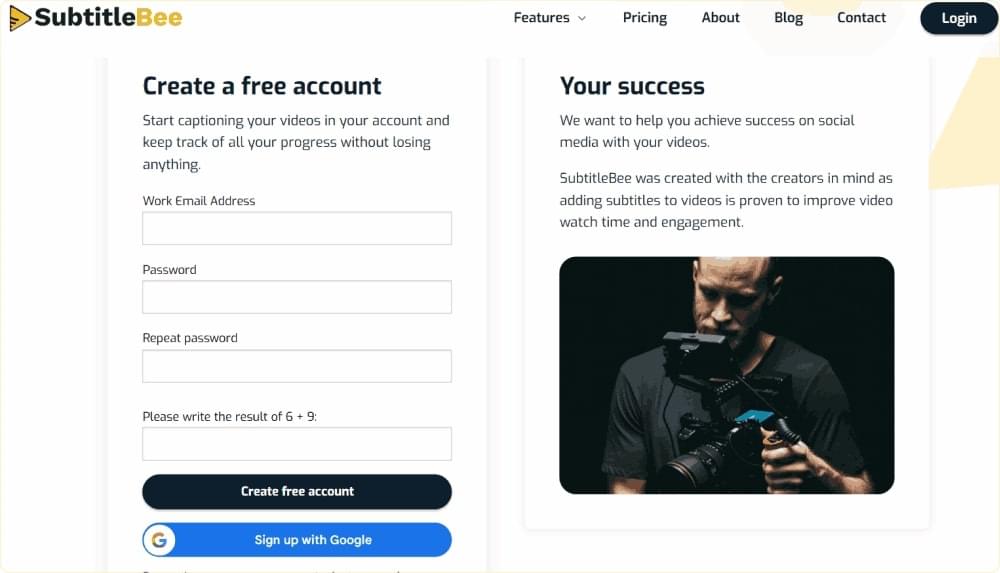
1. Open the SubtitleBee website and create a new account for free. You can use the free trial to try out the tool and its features.
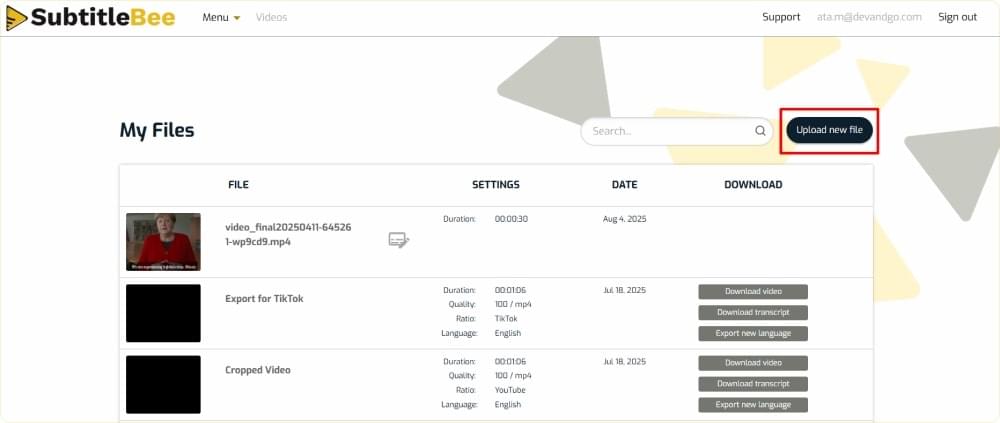
2. Login to your account and choose to Upload new file.
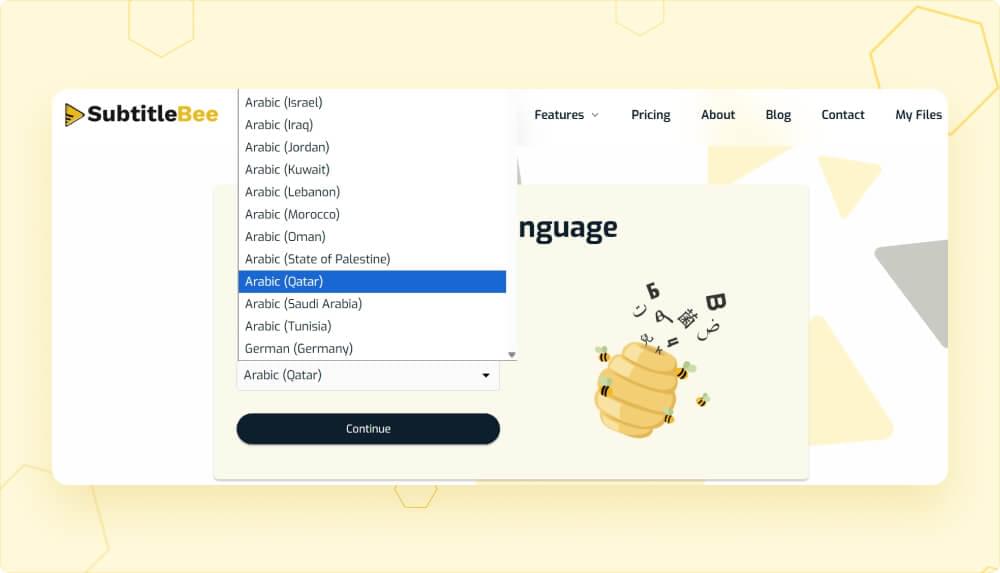
3. You’ll be directed to the Media Language page, where you have to choose the language and the accent of your video.
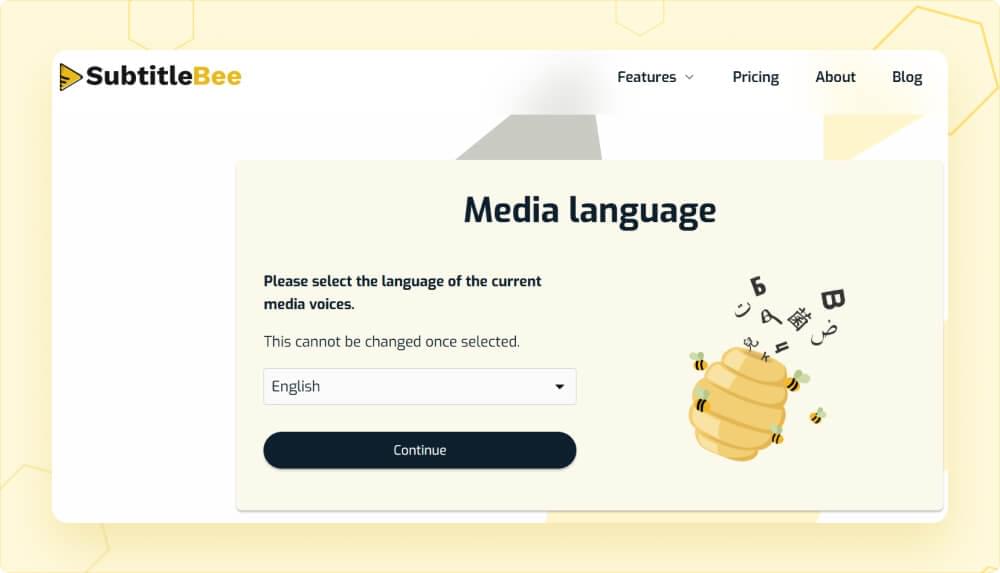
SubtitleBee covers 120+ languages and accents. So, you have a lot of options to choose from. In terms of the Arabic language alone, you have 15 different options to choose from. In this case, we are choosing Arabic (Qatar).
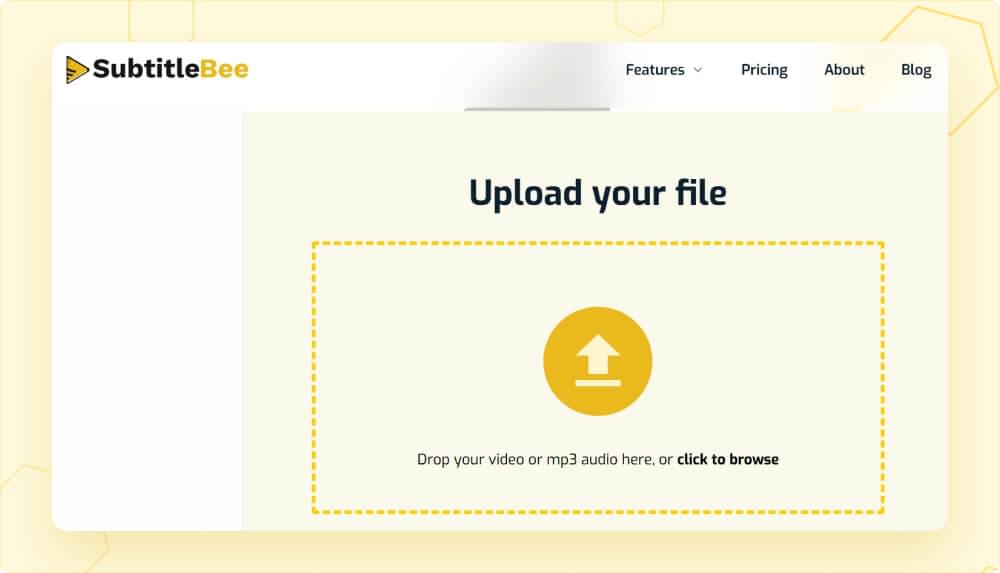
4. Upload the file from your computer or via URL of Vimeo, YouTube, or any self-hosted platform.
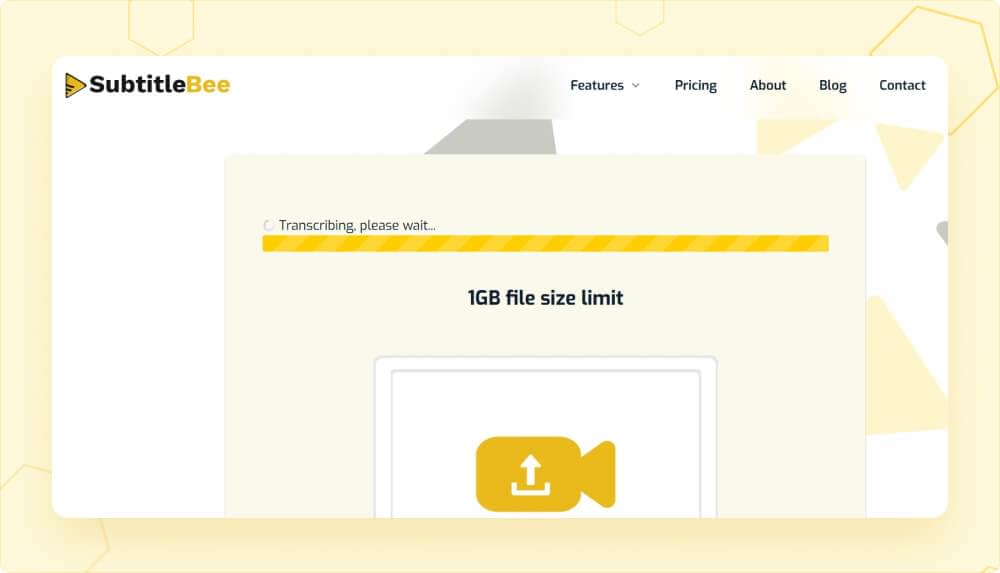
5. Wait for SubtitleBee’s AI algorithms to analyze the video and add automatic subtitles.
6. Once the captioning and transcription process is complete, you’ll get auto-synced Arabic subtitles for your video on SubtitleBee’s dashboard.
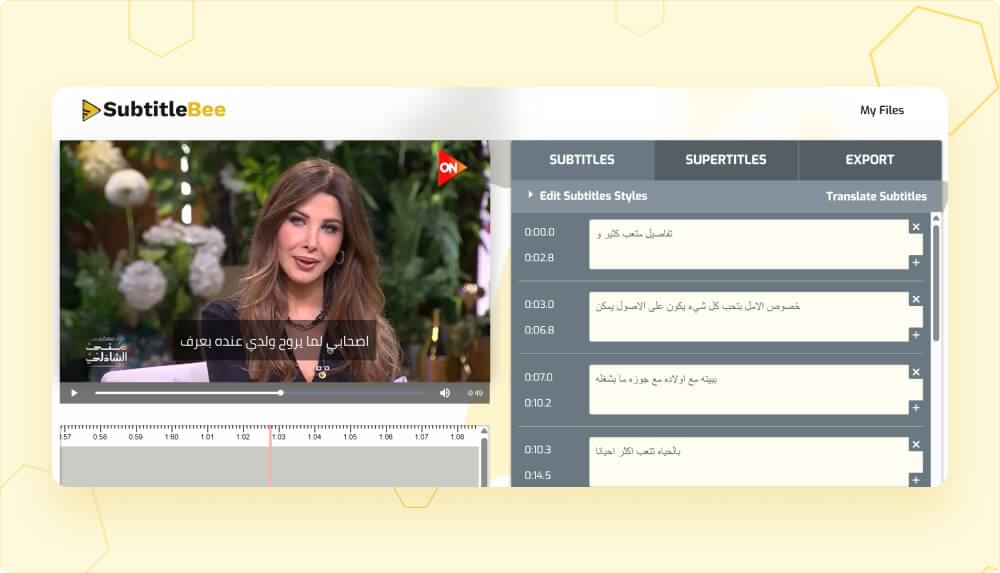
7. You can edit the subtitle style:
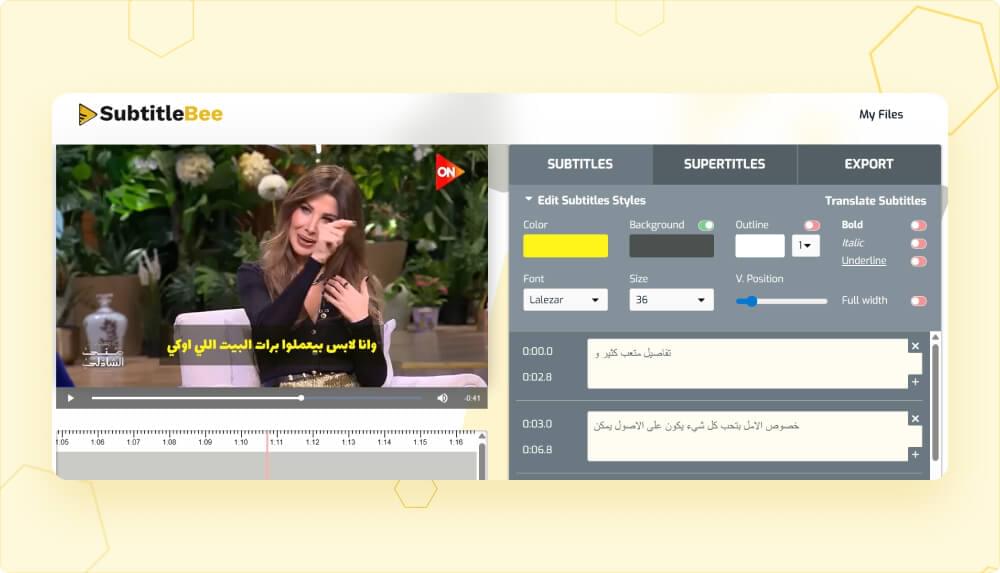
8. You can also translate subtitles. This feature is great when you want to add Arabic subtitles to a foreign language video or foreign subtitles to an Arabic video.
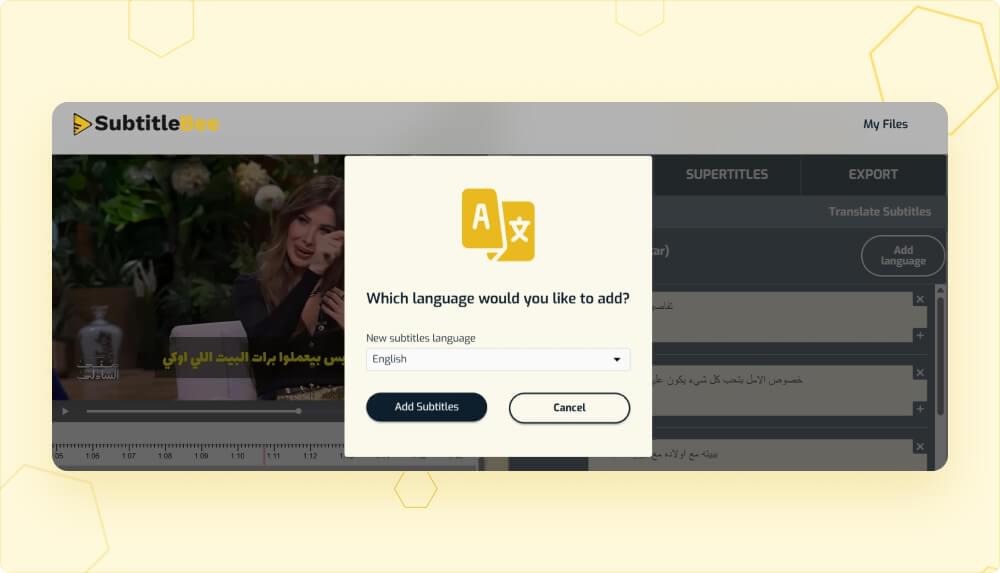
View and edit translated subtitles
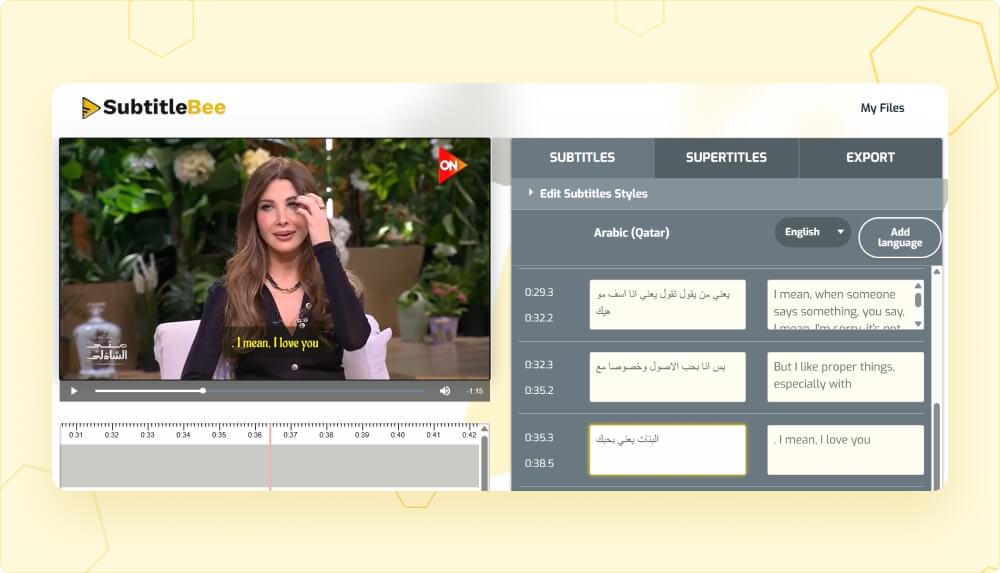
You can preview and edit subtitles easily using the slider
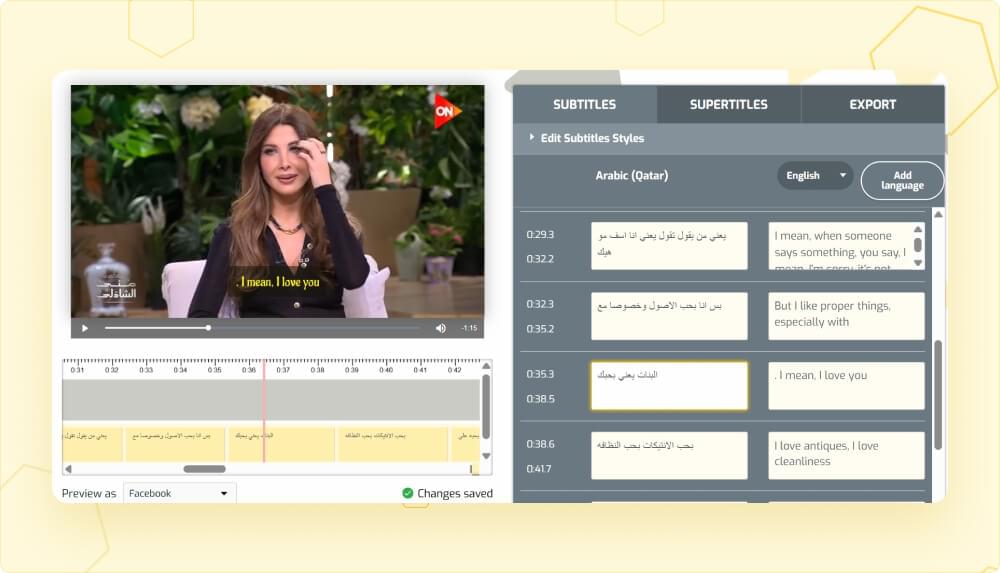
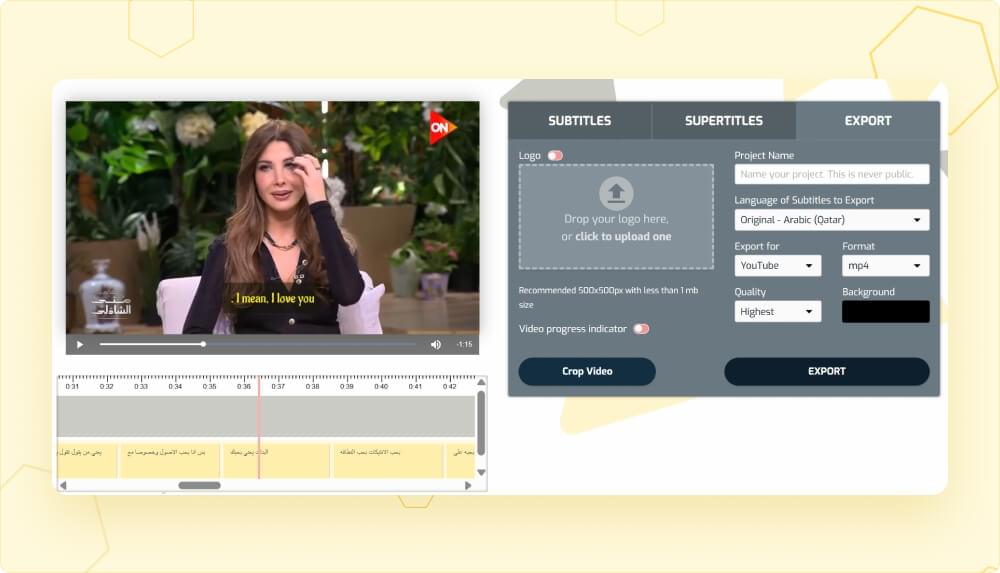
9. Once done, go to the Export option and save the video in your preferred format, aspect ration, quality, and subtitle language.
Why use SubtitleBee to add Arabic subtitles?
While there are many different subtitle generators available on the internet, SubtitleBee stands out for its user-friendliness, accuracy, and versatility. Adding subtitles in a difficult language like Arabic manually can take hours or even more, depending on your content’s length. Moreover, if you don’t know the language, you’ll have to handle everything from translation, time-stamping, syncing, and formatting each and every line.
But all such hassles are removed with the AI-powered features of SubtitleBee. You should use SubtitleBee to add Arabic subtitles because:
- It detects the speech automatically and generates accurate captions within minutes.
- It follows the accurate right-to-left formatting to ensure your subtitles are correct and appealing.
- SubtitleBee is a unified platform with multiple other features, like editing translations, cropping video, subtitle translation, adding overlay text to video, and exporting content in various ready-made social media formats.
- Most importantly, there are many different accents and dialects of the Arabic language that
Overall, SubtitleBee can be a great addition to your workflow, especially if you are someone who creates a lot of videos and wants to streamline the video subtitling process.
Benefits of creating and adding Arabic subtitles to your videos
Adding Arabic subtitles to your videos that are either in Arabic or any other language can bring a lot of benefits, including:
- Reaching a massive Arabic-speaking audience around the world and increasing traffic to your content.
- Ensuring better accessibility for all viewers, especially non-native speakers, individuals with hearing impairments, and those who prefer watching videos on mute.
- Subtitles are known to keep people watching longer by helping in content comprehension and making sure the audience does not miss any key points, especially technical or complex information.
- Social media platforms like YouTube and TikTok analyze and read subtitles, which means you can rank for Arabic keywords by adding accurate Arabic subtitles.
- Adding subtitles has become the norm nowadays, so brands that offer localized subtitles seem more credible and engaging.
Bonus tips to make your Arabic subtitles more effective
You can increase the appeal and effectiveness of your Arabic subtitles by following these tips:
1. Keep the translations simple and clear without any complicated phrasing. SubtitleBee follows this principle automatically, but you can also make manual edits to simplify the captions, if required.
2. Make sure the formatting is right with subtitles appearing right-to-left
3. Use fonts that look good on both light and dark backgrounds. SubtitleBee has a huge variety of fonts to choose from.
4. Try out different subtitle color combinations and consider adding a background to your captions. You can also add the iconic yellow subtitles with SubtitleBee.
5. Arabic script can appear dense, especially to non-native speakers, so you should break longer sentences into smaller ones.
Conclusion
The bottom line is that adding Arabic subtitles is a highly simple and effective way of upgrading the accessibility and engagement of your videos. Whether you are a creator already operating in Arabic-speaking regions or simply want to reach new markets, you can do that with Arabic captions.
The best part is that SubtitleBee makes the entire Arabic subtitling process quick and accurate. You can now add captions to your videos within minutes.
So, sign up at SubtitleBee and try it out for free!
FAQs
How many languages does SubtitleBee support?
SubtitleBee supports adding subtitles, captions, translation, and transcription in 120+ languages. So, you can use this software to create videos for a global audience.
Does SubtitleBee support different Arabic accents and dialects?
SubtitleBee supports 15 Arabic accents and dialects spoken in different countries, including the United Arab Emirates, Bahrain, Algeria, Egypt, Israel, Iraq, Jordan, Kuwait, Lebanon, Morocco, Oman, the State of Palestine, Qatar, Saudi Arabia, and Tunisia.
How to add Arabic subtitles to downloaded videos on my computer?
You can add Arabic subtitles to the downloaded videos on your computer by simply uploading your videos to SubtitleBee and letting its AI algorithms transcribe and caption your videos.
What is the best software for creating Arabic subtitles for videos?
SubtitleBee is the best software for creating Arabic subtitles for all types of videos, including those in Arabic or any other language. It supports subtitling and caption translation in 120+ languages, so you can also add Arabic subtitles to videos that are in languages other than Arabic.
How to synchronize Arabic subtitles with foreign language films?
Synchronizing the Arabic subtitles with foreign language films manually can be a very difficult and time-consuming process. It is recommended that you use an AI-powered tool like SubtitleBee to generate perfectly synced Arabic subtitles.
How to add Arabic subtitles to YouTube video?
YouTube has the option of adding closed captions to videos. So, you can use the YouTube’s built-in feature to add Arabic subtitles. However, if you want the subtitles to be embedded into the video and want to properly style them, you should use SubtitleBee to add Arabic Subtitles to YouTube video.
Is there a tool to automatically generate Arabic subtitles from videos and audio?
Yes! SubtitleBee supports subtitling videos as well as audio transcription. All you have to do is choose the language and accents of your content, upload the file (video or audio), and let SubtitleBee’s AI transcribe your content to generate accurate Arabic subtitles.



Add and translate your subtitles to more than 100 languages with high accuracy
Our solution
SubtitleBee
Make your video understandable by using SubtitleBee for free
Start now for freeTop Articles

Getting Started with AI-Powered SubtitleBee

3 Effective Ways To Add Subtitles To Video Online Without Watermark

VEED vs. Kapwing: Which Subtitle Generator wins?

Kapwing vs. SubtitleBee: Which subtitling tool should you choose?

5 Top Verbit Alternatives for Transcription