


video tutorials for social media
How to translate English to Spanish video subtitles
For every content creator it is true that the content becomes global when it connects with the language of the people watching it! And most of the content is created in the English language, worldwide. But for someone who is a video creator or a business owner, it is not new information that the English-speaking market is highly crowded. So, how to increase the content reach and accessibility? The answer is “translate English to Spanish video subtitles”.
Over 500 million people around the world speak Spanish! It’s the second most spoken native language. So, when you add Spanish subtitles to your English videos, your content reach opens up to viewers in Spain, Mexico, Argentina, and to a huge community in the United States! Let’s learn how you can easily translate English to Spanish video subtitles using SubtitleBee.
Why translate English to Spanish video subtitles?
Spanish speakers are very active digital consumers. In regions like Latin America, mobile video consumption is skyrocketing.
Your English to Spanish translated videos will help you tap into Spanish culture and become part of Spanish community, storytelling, and digital connection. Here’s why:
- Massive Reach: Spanish is the official language of 21 countries. Spanish video subtitles are the most cost-effective way to promote your brand across three continents simultaneously.
- SEO Dominance: YouTube and Google index subtitles. When you translate English to Spanish video subtitles, your content will start appearing in Spanish-language search results.
- Better Retention: Research tells that even bilingual viewers often prefer subtitles in their native language to ensure they don’t miss technical nuances or cultural slang.
How to Translate English to Spanish video subtitles?
An AI-powered tool like SubtitleBee makes the process of translating English subtitles to Spanish subtitles incredibly fast and reliable. You do not need to be a Spanish linguist; all you need to do is follow these simple steps.
1. Create a SubtitleBee account
Head over to SubtitleBee and sign up. Since it’s a cloud-based platform, you do not need to clog up your hard drive with any installation.
2. Log in to your account
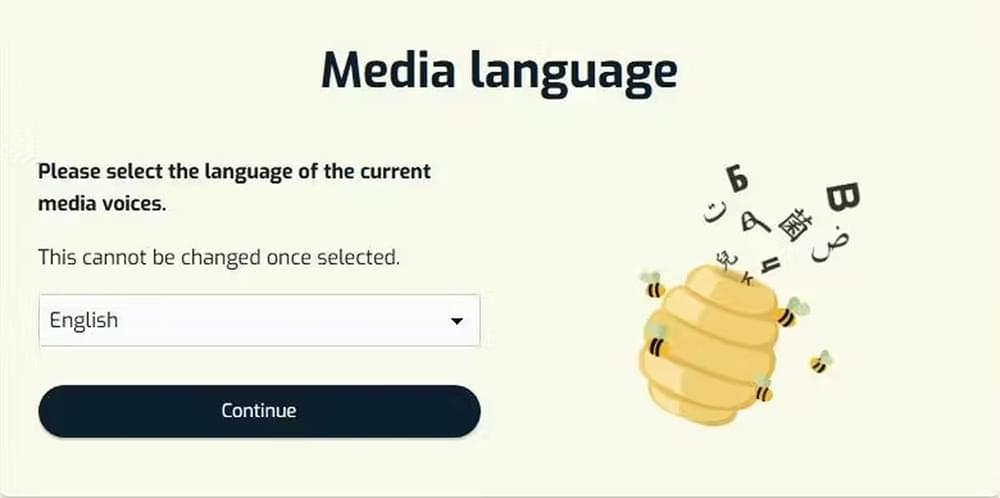
Once you are in, click the “Upload new file” button. You will be asked to choose the Media Language.
Select English here, because it is the actual language of your video.
3. Upload video
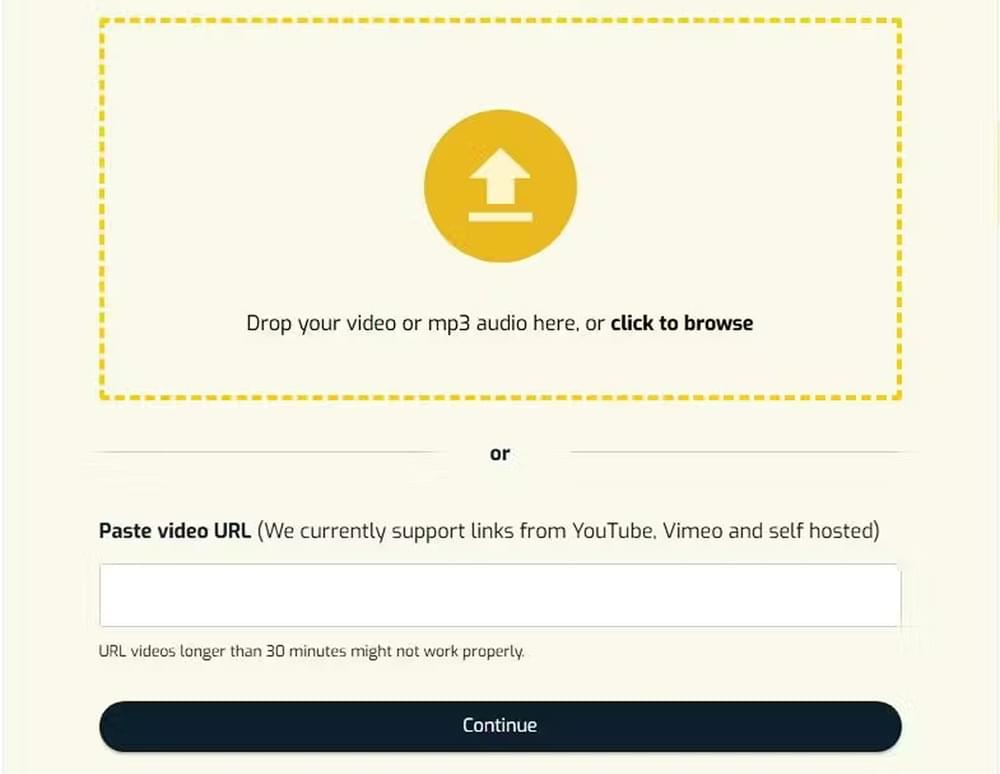
You can either drag and drop a file from your computer or paste a link from YouTube or Vimeo. The platform supports MP4, MOV, AVI, WMV and WebM video file types.
Once you click the “Continue”, SubtitleBee’s AI will immediately start “listening” to the audio to generate the English transcription first.
4. Edit English subtitles
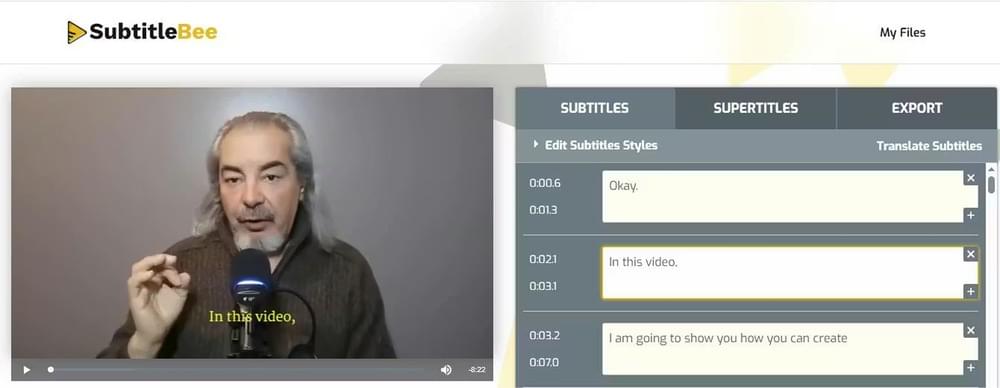
Take two minutes to scan the English transcript generated by Subtitlebee before you generate the Spanish translation. Fix any errors in the English transcription so that your Spanish translation is 100% accurate. “AI is great, but it might trip.”
5. Translate to Spanish subtitles
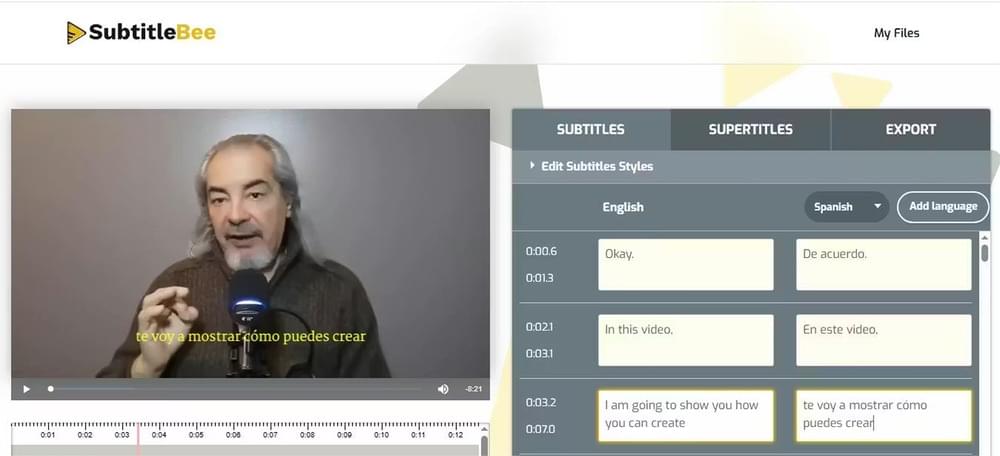
Now for the Spanish translation, click on “Translate Subtitles” in the dashboard and select Spanish from the dropdown menu. Within seconds, the subtitle generator will generate Spanish subtitles of the English transcript.
You can change subtitles position and choose different font styles or colors (like high-contrast yellow subtitles) and make the subtitle text pop against your video background. Try the edit subtitle styles palette for the fun.
6. Export video with Spanish subtitles
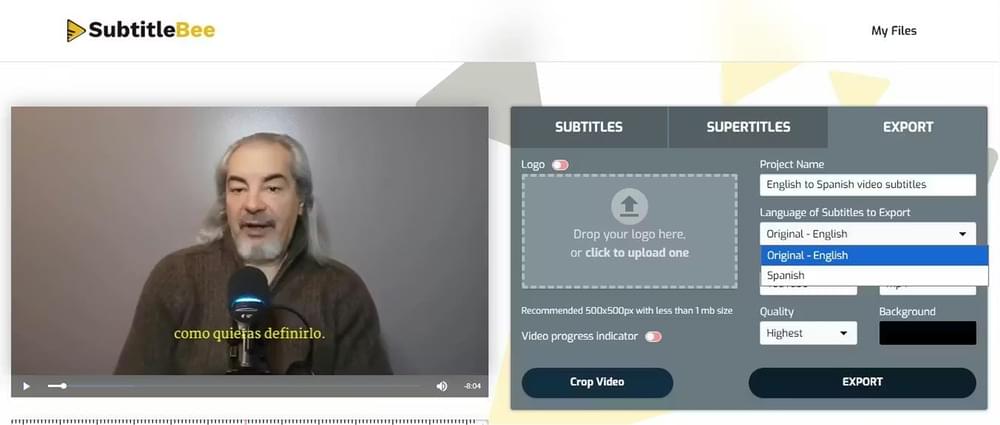
When you are happy with the look, click Export. You will get Spanish subtitles burned-in to your video. You can then download them as an SRT / VTT file to upload them as “Closed Captions“ on platforms like YouTube.
Why is reviewing the English to Spanish video subtitles important?
Spanish is a “gendered” language, meaning nouns are masculine or feminine, and verbs change based on who is speaking. Here is why it is a good idea to review the Spanish subtitles before you export them:
- Regional Nuances: Spanish in Spain (Castilian) can be different from Spanish in Mexico. While AI is excellent at “Neutral Spanish,” reviewing your text helps ensure the tone matches your target region.
- Sentence Length: Spanish text is often 20% to 25% longer than English. This means a sentence that fits perfectly on one line in English might wrap onto two lines in Spanish. Reviewing the timing ensures the text does not vanish before the viewer can finish reading it.
What type of content should be translated into Spanish?
If your goal is engagement, certain types of content perform exceptionally well in the Spanish-speaking world:
- Educational & “how-to” content: There is a huge demand for technical training and self-improvement videos in Spanish.
- Entertainment & vlogs: The “Korean Wave“ (K-Dramas) has a massive following in Latin America, but so does Western lifestyle content.
- Business & marketing: If you are selling a product, a Spanish subtitled ad can often have a lower Cost-Per-Click (CPC) because you are targeting a less saturated market compared to English-only ads.
Conclusion
Add subtitles to video or translate English to Spanish video subtitles easily and stress free with SubtitleBee in 2026. You can turn your 10 minute long English video into a Spanish subtitle video, ready to upload, within minutes while you grab a coffee. With Spanish video subtitles, your content is accessible and ready to reach more people while you build a truly global community.
Related Reads:
How to translate Hindi to English subtitles
How to translate video to English subtitles
FAQs
How to put English subtitles on a Spanish video?
Upload your video to a tool like SubtitleBee → sign in → upload video. Once the subtitle generator generates the audio transcription in Spanish, use the Translate feature to select English. You can then export the video with the English subtitles “burned-in” and download an SRT file.
How to translate a video from English to Spanish for free?
Most AI platforms, including SubtitleBee, offer a free trial that allows you to upload a video and test the translation features. Simply sign up, upload your English file, and select Spanish as the translation language to see the results at no cost.
How do I translate the subtitles of a video?
You can translate video subtitles using a subtitle generator like SubtitleBee. Simply upload your video, let the AI video translator generate audio to text subtitles automatically, and then choose your desired language to translate into. The subtitles will be translated in seconds. You can review and edit them if needed before translating and exporting the final video or subtitle file.
Can AI translate a video?
Yes. Modern AI uses Natural Language Processing (NLP) to “listen” to the audio, convert the audio to text (audio transcription), and then instantly translate that text into another language. These AI video translators can even handle timing and synchronization so the translated subtitles match the speaker’s voice perfectly.
Can I add multiple languages in SubtitleBee?
Absolutely. SubtitleBee is an excellent subtitle generator and AI video translator that lets you add Spanish, French, Korean, and over 120 other languages to the same video file. This allows you to create a “Global Edition” of your content that can be understood in almost every corner of the world.



Add and translate your subtitles to more than 100 languages with high accuracy
Our solution
SubtitleBee
Make your video understandable by using SubtitleBee for free
Start now for freeTop Articles

Getting Started with AI-Powered SubtitleBee

3 Effective Ways To Add Subtitles To Video Online Without Watermark
VEED vs. Kapwing: Which Subtitle Generator wins?
Kapwing vs. SubtitleBee: Which subtitling tool should you choose?

5 Top Verbit Alternatives for Transcription