


video tutorials for social media
Open caption vs closed caption: Key differences explained
Curious about the whole open caption vs closed caption debate? By the end of this article, you’ll have a clear idea about what the best method is to caption your content.
It would not be wrong to say captions have gone from a nice-to-have to a must-have for video content. The use of captions in videos has grown by 572% since 2021. Moreover, most users watch videos on mute. So, if you are creating video content in 2026, you should definitely add captions to maximize reach, accessibility, and engagement.
But here’s where many content creators get stuck: should you use open captions or closed captions?
At a glance, both open and closed captions serve the same purpose of displaying text on screen so viewers can follow along. However, there are some key differences in the way closed vs open captions are built into your video and how viewers interact with them.
In this guide, we’ll break down the key differences between open caption vs closed caption in detail to see how they compare across every factor that matters and which type works best in specific scenarios.
Table of contents
- A quick overview of open captions and closed captions
- Open caption vs closed caption: Key differences at a glance
- Detailed comparison: Open captioning vs closed captioning
- Open vs closed captions in movie theaters
- When should you use open captions?
- When should you use closed captions?
- Captions vs subtitles vs SDH
- Bonus tip: How to add open and closed captions to your videos?
- Conclusion
- FAQs
A quick overview of open captions and closed captions
The purpose of this article is to thoroughly explain the differences between open captions and closed captions. But before we do that, it is important to quickly get familiar with the basics of these two popular types of captions:
What are open captions?
Open captions are text that is permanently embedded, or “burned”, into the video file itself. It means these captions are always visible on screen, and viewers don’t have the option of turning them off. In other words, the text becomes a part of the video’s visuals just like any other graphic. This is why once you add open captions to a video, they are there for good.
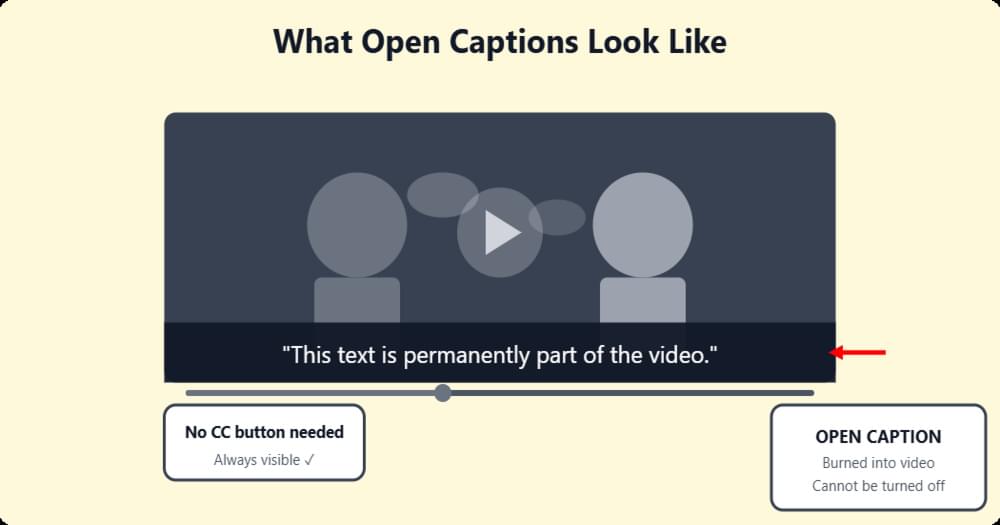
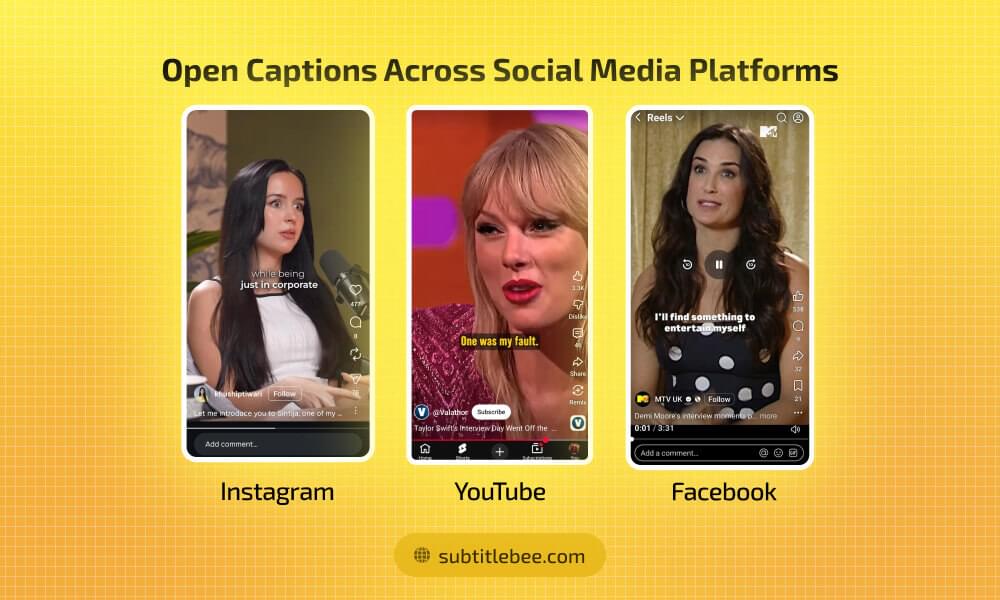
Open captions are also called hardcoded subtitles. The most common example of open captions is the short-form videos, especially interview clips, on social media, including Instagram Reels and YouTube Shorts.
Read more: What does open caption mean? (Movies, subtitles, & more)
What are closed captions?
Closed captions are the complete opposite of open captions. They give viewers the option to turn them on or off because closed captions are stored as a separate file (like an SRT or VTT file) and are loaded by the video player during playback. Viewers can toggle them on or off using a CC button. This is why they’re called “closed.”
Generally, closed captions are hidden by default until the viewer activates them. Popular examples of closed captions include video content on streaming services like Netflix and YouTube.
Read more: What does closed caption mean? (CC and subtitles explained)
Also read: Understanding the difference between subtitles and captions
Open caption vs closed caption: Key differences at a glance
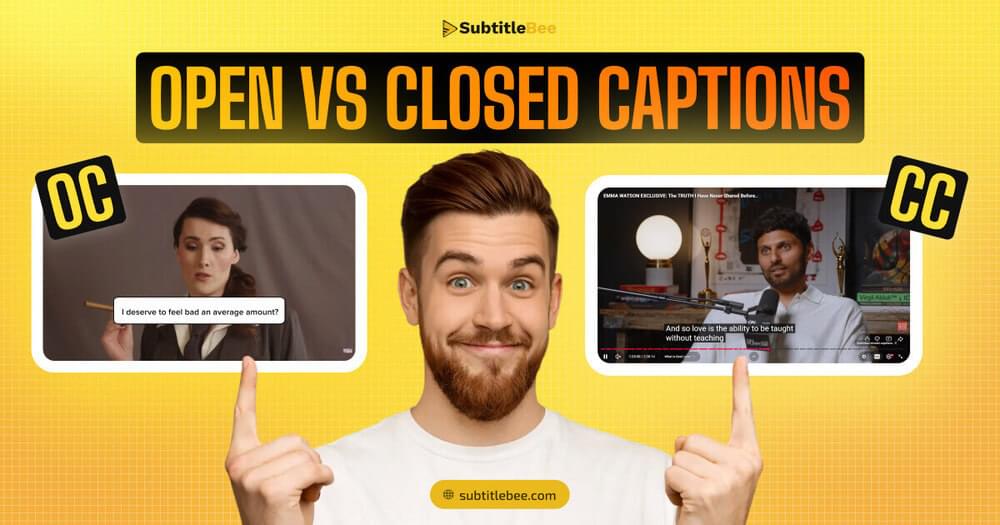
The basic definitions make it clear that when it comes to the “open captions vs closed captions” debate, they have more similarities than differences. Both closed and open captions display dialogue, sound effects, speaker identification, and other important audio information as on-screen text.
But the real difference lies in how they’re delivered and how much control the viewer has over them.
Let’s break that down with a side-by-side comparison of closed captions vs open captions across some key factors:
| Feature | Open captions | Closed captions |
|---|---|---|
| Visibility | Always visible and cannot be turned off | Viewer toggles on/off |
| File type | Burned into video file | Separate file (SRT, VTT, SCC, ASS) |
| Editing | Requires re-rendering the entire video | Edit the caption file and re-upload |
| SEO benefit | None as search engines cannot read on-screen text | Yes as search engines can index caption files |
| Viewer customization | No control over font, size, or color | Viewers can adjust appearance on different platforms |
| Platform compatibility | Works everywhere | Requires platform support for caption files |
| Quality dependency | Caption clarity drops if video is compressed | Text quality stays consistent |
| Best for | Social media, public displays, foreign language films | YouTube, streaming platforms, corporate and educational videos |
Detailed comparison: Open captioning vs closed captioning
The table in the previous section perfectly captures the key differences between closed captions vs open captions. However, if you want to know the exact differences between open captioning vs closed captioning, let’s look at the following key factors:
Visibility and viewer control
This is the main difference in the open captioning vs closed captioning debate.
Open captions are always on screen. The viewer has zero control over them and has to see the captions whether they want to or not.
On the other hand, closed captions put the viewer in charge. They get to choose when to activate or deactivate the text.
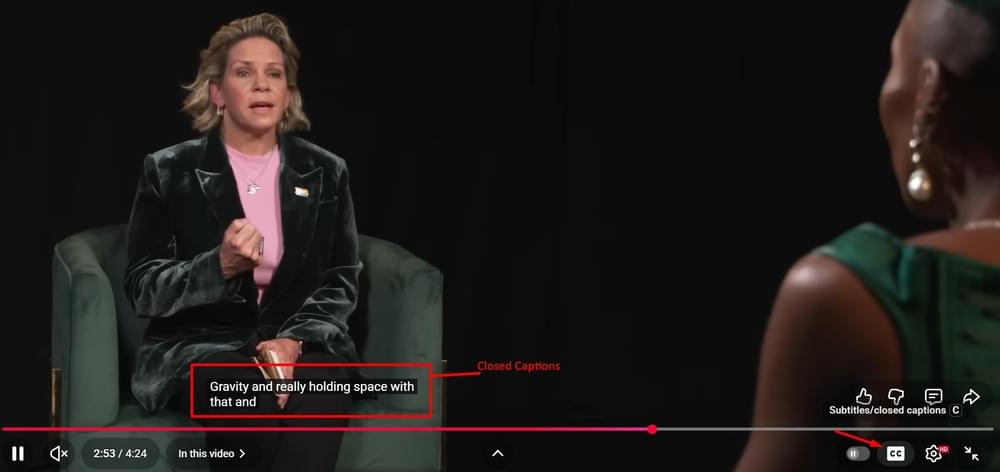
Both of these visibility options have their pros and cons. Always-on captions are a benefit for some audiences, especially individuals with hearing issues.
However, permanently burned-in captions can also feel distracting to a lot of people, especially those who are watching content in their native language. Poorly designed open captions can even cover important visual elements in a video, so it is important that you use a suitable tool to caption your videos.
Editing and flexibility
This is where closed vs open captions differ significantly from each other in terms of workflow.
If you want to fix a spelling mistake or need to update the timing in closed captions, you can do that by simply editing the subtitle file, such as SRT, and re-uploading it. The video itself remains the same.
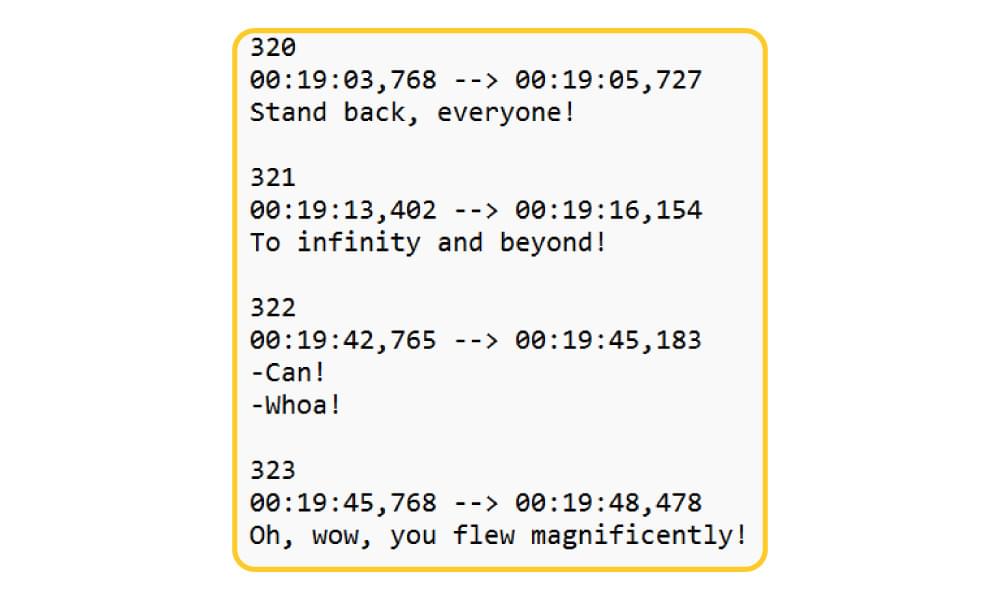
On the flip side, in open captions, any change, even fixing a single word, means you have to re-render and re-export the entire video file, which can take a lot of time
This is why individuals and content creators who are used to publishing frequently and often need to make quick corrections in their captions, the difference in editing ability alone can be a major dealbreaker.
SEO and discoverability
When it comes to search engine optimization (SEO), closed captions have a clear advantage. Closed caption files exist as a text-based file separate from the video, so search engines like Google can crawl and index the content within these files. As a result, your video becomes more discoverable for relevant search queries. It can significantly improve your rankings on platforms like YouTube.
Open captions, on the other hand, are just pixels of burned-in text in a video frame. Search engines cannot read them.
So, if SEO and organic reach are your top priorities for your video strategy, closed captions are the better choice.
Related: 5 digital marketing techniques for better video SEO content
Customization and appearance
Gone are the days when captions used to have the same standard, and frankly boring, appearance.
Now, auto subtitle generators can help you create stylish open captions. Similarly, platforms like YouTube, Netflix, and other streaming services have the options to customize the font, size, color, and background of your closed captions as well.
But the key difference in open captions and closed captions’ appearance and customization options is that open captions lock in the appearance at the time of creation.
The video subtitle creator has the maximum control over the font, size, color, and position. It can huge benefit for branding purposes. However, it limits the viewer’s ability to adjust the experience as per their specific needs.
File formats and delivery
Closed captions are created in specific file formats. Not every platform supports every file format of closed captioning. The most common formats include:
- SRT (SubRip): The most widely supported format across platforms
- VTT (WebVTT): Used for web-based video players and HTML5
- SCC: Common in broadcast television
- 608/708: Embedded caption tracks used in broadcast
In comparison, open captions don’t involve separate files at all. Since the captions are burned or hardcoded into the video, they can play anywhere the video plays. Therefore, if you are using open captions, you don’t have to worry about any compatibility or file format issues.
Also read: How to create SRT file subtitles
Video quality and compression
Open captions are part of the video’s visual data. Therefore, if you compress your videos, the subtitles will experience the same compression and quality loss as the rest of the video. If your video gets heavily compressed, which is quite common on social media platforms, the open caption text can become blurry and difficult to read.
On the other hand, video compression does not affect closed captions because they are rendered as a text overlay by the video clear. So, if your video is compressed or has a small resolution, the caption text will remain crisp and clear.
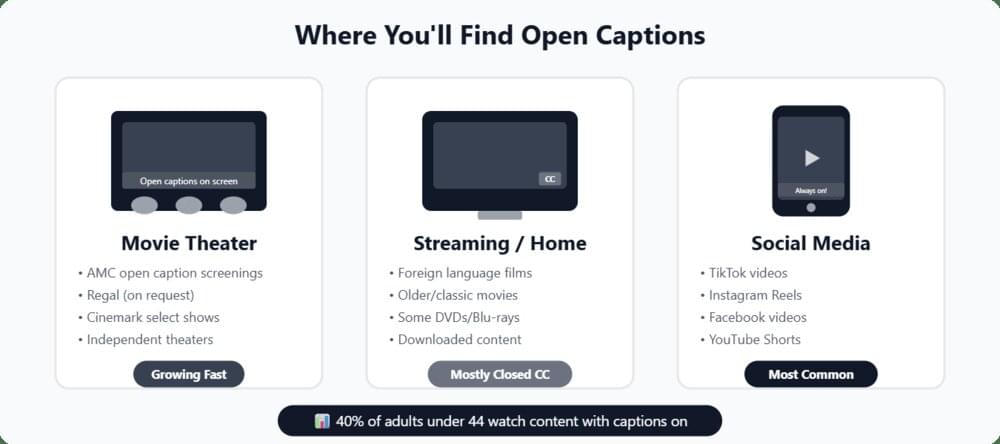
Open vs closed captions in movie theaters
The debate around open vs closed captions in movie theaters has also been growing louder in recent years. If you are a cinegoer, you should definitely understand this important distinction:
Under the Americans with Disabilities Act (ADA), movie theaters in the U.S. are required to provide closed captioning equipment for digital films that include accessibility features.
Generally, theaters offer closed captions through personal devices that are located at or near the viewer’s seat. These devices include CaptiView, which is a small display on a flexible arm attached to the seat. Another popular device is the Sony Entertainment Access Glasses, which are wearable glasses that display captions in the viewer’s line of sight.
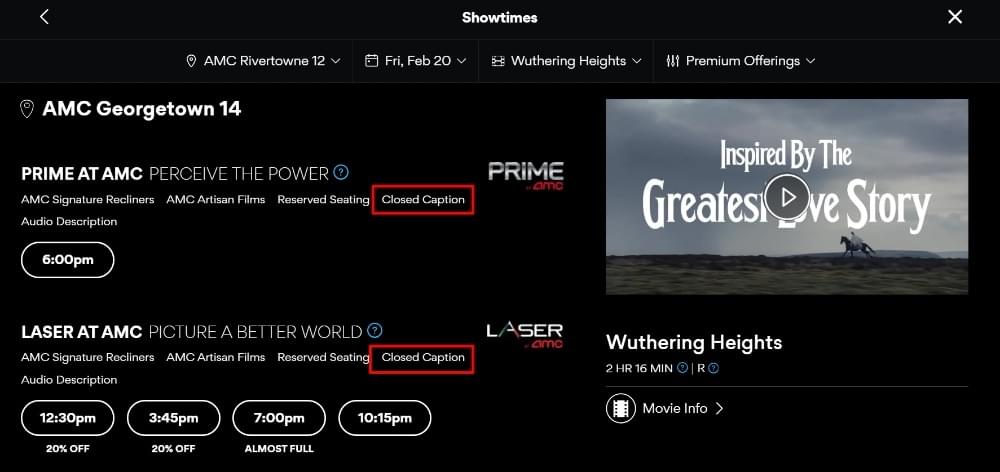
However, the closed captioning devices in theaters have faced criticism from many accessibility advocates. Issues like malfunctioning equipment, difficult setup, and an isolating experience for deaf and hard-of-hearing viewers have resulted in advocacy groups calling for more open caption screenings in theaters.
As a result, many theaters nowadays have specific open caption screenings where the captions appear directly on the movie screen that everyone can see without needing any special devices.
As of 2026, many US states and cities such as New York City, Hawaii, and Delaware have passed legislation that requires theaters to offer a certain number of open caption screenings.
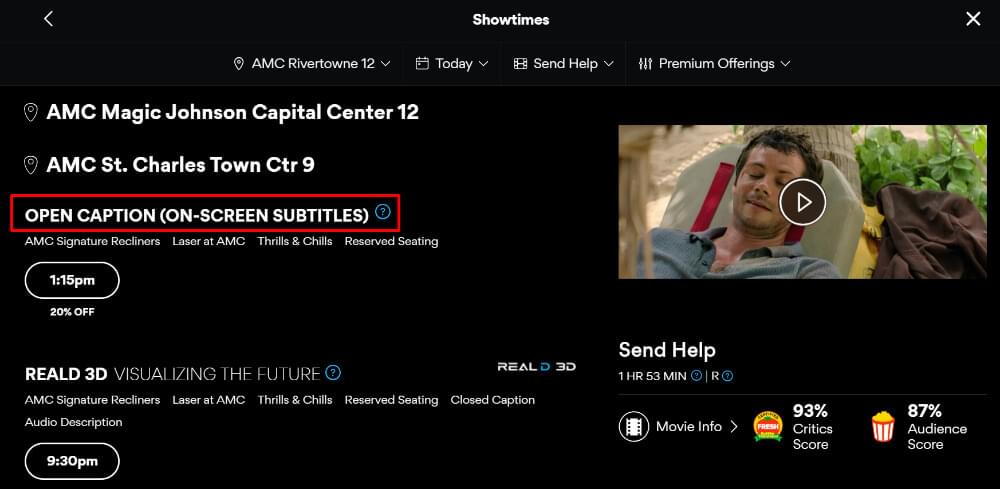
Closed captioning is still the standard in most theaters,. However, open captioning is still gaining significant ground in recent times as audiences and lawmakers are constantly pushing the relevant authorities to make the cinema experience more inclusive.
Related: How subtitles benefit the deaf and hard of hearing
When should you use open captions?
Keeping the key attributes of open captions in mind, let’s look at situations where you should use open captioning:
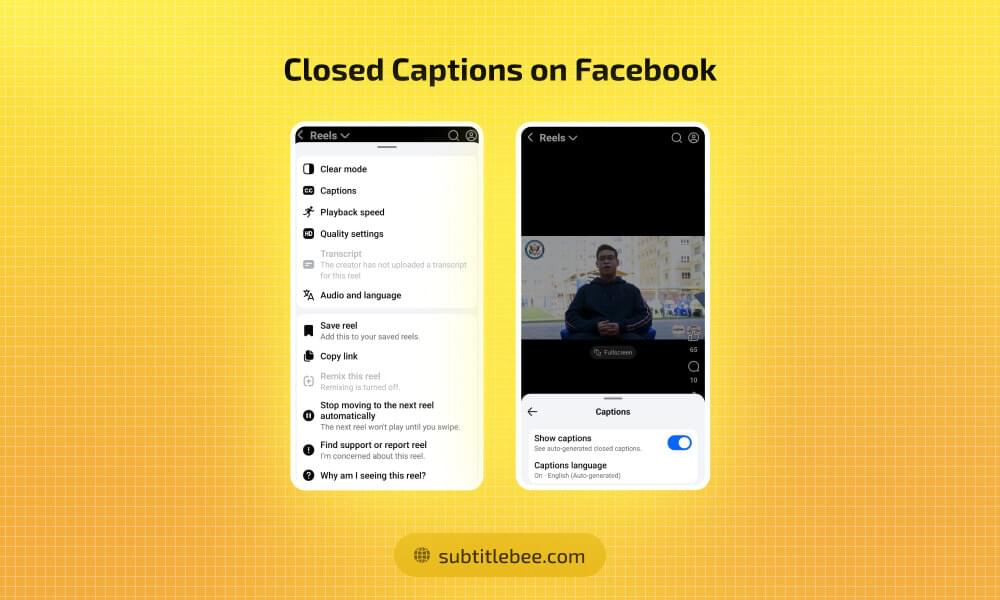
1. Social media content: Platforms like TikTok, Instagram Reels, and Facebook autoplay videos on mute. Also, most mobile users watch videos without sound. So, burned-in captions are the best way to get your message across to the viewers
2. Public displays: Videos playing in public areas like airports, waiting rooms, or gyms need captions that are always visible, as viewers don’t have the option or time to enable closed captioning there.
3. Foreign language scenes: Open captions provide quick translations when characters switch languages mid-scene in movies. It also helps in enhancing the overall cinematic experience.
4. Viewers with limited tech skills: If your viewers include seniors or anyone who may not know how to enable closed captions, you should use open captions to remove any technical barrier to your videos.
5. Platforms without CC support: Some platforms don’t support external caption files, so using open captions is the only logical option to ensure accessibility on such platforms and players.
When should you use closed captions?
Closed captions can also be the perfect choice to add subtitles in different scenarios, such as:
1. YouTube and long-form video: YouTube supports closed caption files. It also has the feature of auto-generated captions, but it can give inaccurate results. So, you should upload your own accurate SRT file to get maximum SEO benefits.
2. Streaming platforms: Platforms like Netflix, Amazon Prime, and Disney+ use closed captions as the standard subtitling format. They also offer multi-language support to allow viewers adjust the caption.
3. Corporate videos: Closed captions are useful for employees to choose whether they need captions based on their preferences. They also make it easier to offer captions in multiple languages for global teams.
4. Educational content: Closed captions can be highly beneficial in educational content because they give students maximum control while improving comprehension and focus.
5. Repurposed videos: You can edit closed caption files independently from the video, so they are ideal for content that may updates or translations down the line.
Captions vs subtitles vs SDH
While discussing open captions vs closed captions, it is also important to address the confusion many people have about using “captions” and “subtitles” interchangeably.
- Captions (open or closed) are meant for viewers who cannot hear the audio. They include dialogue, sound effects, music descriptions, and speaker identification. The main assumption in captions is that the viewer requires a complete text representation of all audio information included in the content.
- Subtitles are designed for viewers who can hear the audio but don’t understand the language. They typically include only dialogue without any sound effects or labels.
- SDH (Subtitles for the Deaf and Hard of Hearing) bridges the gap between captions and subtitles. SDH subtitles include dialogue translations along with sound effects and speaker identification. Hence, they are suitable for viewers who need both language translation and accessibility features.
Also read: SDH subtitles vs closed captions
Bonus tip: How to add open and closed captions to your videos?
Now that you know all about the differences as well as similarities between open captions and closed captions, you are probably curious about how you can generate and add captions to your videos.
The best part is that both open captions and closed captions can be generated through the same AI-powered subtitle generator - SubtitleBee. It supports accurate caption generation in minutes instead of hours of manual work.
Here’s how!
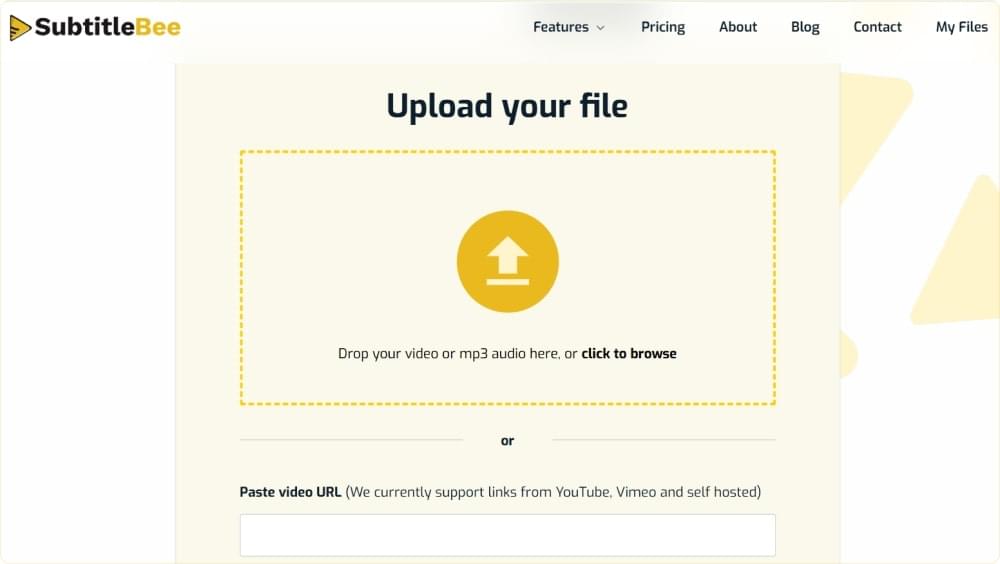
Step 1: Upload your video
Open the SubtitleBee’s upload page and upload your video file. The platform supports all major video formats. You can even upload through the video URL.
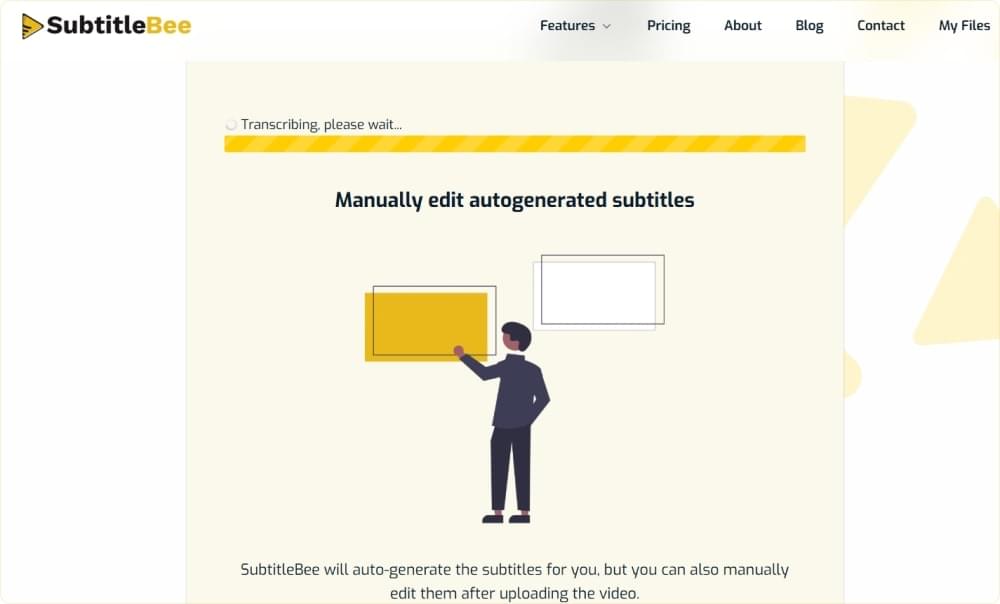
Step 2: Generate captions automatically
SubtitleBee’s AI engine will transcribe your content with up to 99% accuracy and generate time-synced captions automatically. It supports over 120 languages, so you can create and translate captions easily.
Step 3: Review and edit
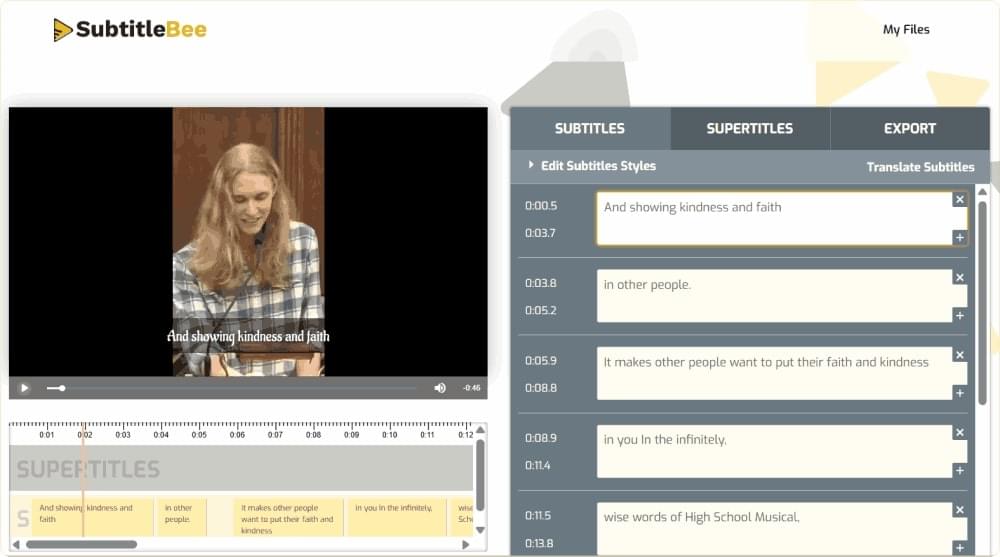
Preview the generated captions and make any adjustments to text, timing, or formatting. This is your chance to fine-tune the result.
Step 4: Choose your caption type
This is where you decide between open and closed captions:
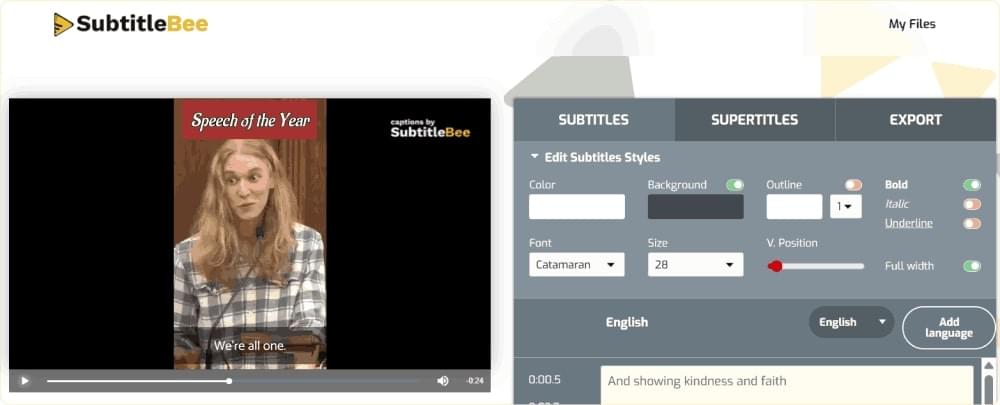
- Open captions: SubtitleBee will generate the open captions automatically and embed them into your video. You can use SubtitleBee’s styling options to customize the font, color, size, and position of your captions. Once done, simply export the video with the captions burned in.
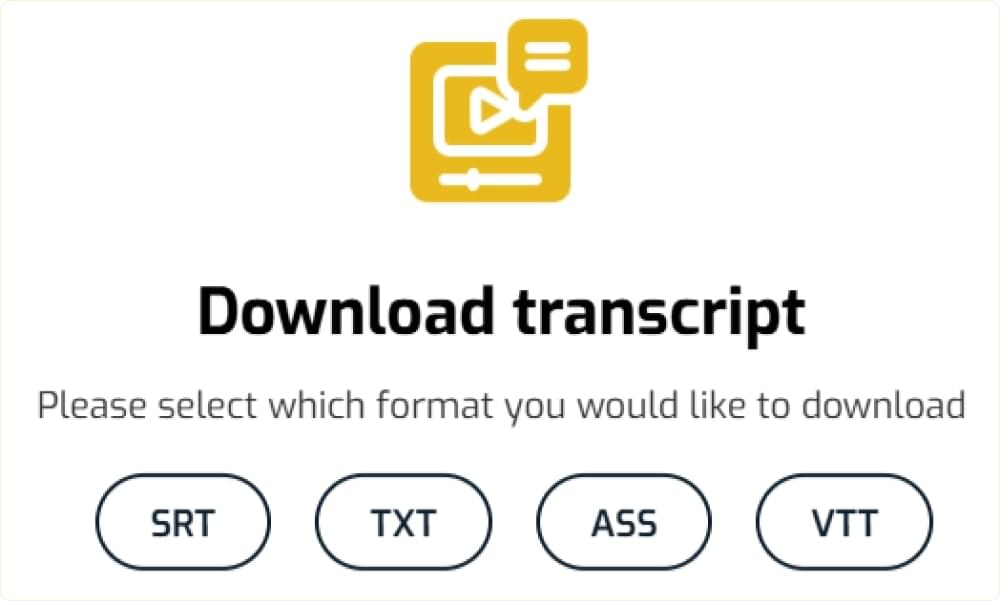
- Closed captions: If you only want closed captions for your video, then you can use the Download Transcript option to export your captions as an SRT, VTT, ASS, or TXT file.
Conclusion
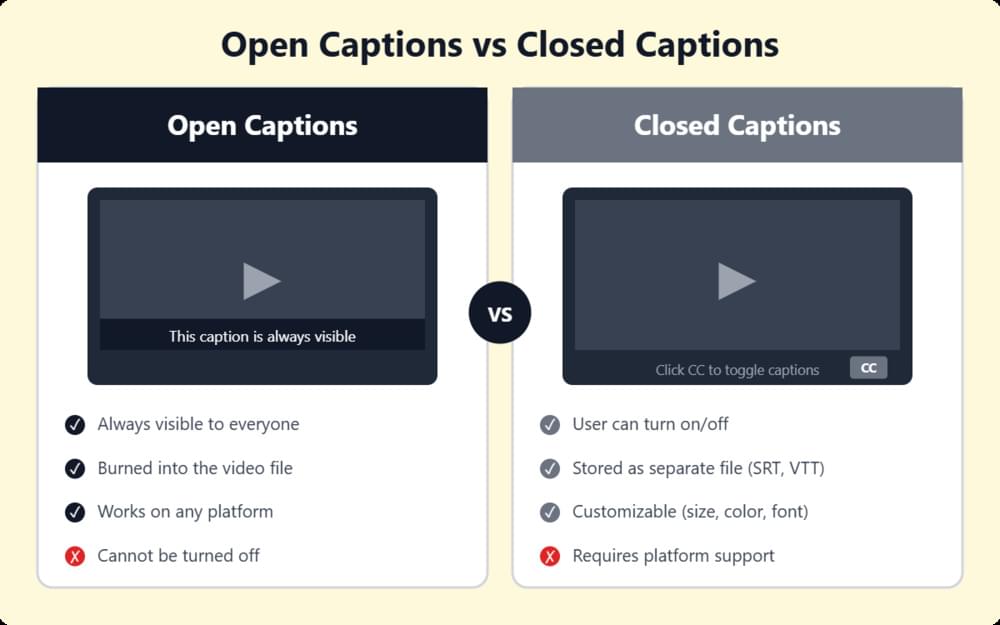
The summary of open vs closed captions is that open captions guarantee visibility on social media and in environments where sound is off, as they are burned into the video, while closed captions offer flexibility, SEO benefits, and viewer control, as users can turn them on and off.
Ultimately, the choice between open caption vs closed caption comes down to where your video will live and how your audience will watch it.
No matter which type you choose, tools like SubtitleBee make the open captioning and closed captioning process fast and easy. Sign up for free and start adding accurate captions to your videos in minutes.
Learn more: Getting started with AI-powered SubtitleBee
FAQs
What is open caption vs closed caption?
Open caption vs closed caption is a common debate regarding the differences between open captioning and closed captioning. The main difference is all about viewer control. Open captions are permanently burned into the video and are always visible. Closed captions are stored as a separate file and can be toggled on or off by the viewer.
Which type of captions is better for social media: open or closed?
Open captions are generally better for social media platforms like TikTok, Instagram, and Facebook because they autoplay videos without sound, so burned-in captions ensure viewers can follow your content immediately.
Can closed captions help with SEO?
Yes. Closed captions exist as text-based files that search engines can crawl and index. This means the words in your captions can improve your video’s discoverability in search results.
What does “open caption” mean at the movies?
An open caption screening at a movie theater means the captions are displayed directly on the main screen for all audience members to see.
What are the key distinctions between permanently visible and user-toggleable text on screen?
Permanently visible subtitles are called open captions. They are hardcodded into the video, so you cannot turn them off. On the other hand, user-toggleable text is also called closed captions. Users can turn these captions on and off by using the CC feature.
What file formats are used for closed captions?
The most common closed caption formats are SRT (SubRip), VTT (WebVTT), and SCC (Scenarist Closed Captions). ASS (Advanced SubStation Alpha) and simple TXT (text) files can also be used for closed captions.



Add and translate your subtitles to more than 100 languages with high accuracy
Our solution
SubtitleBee
Make your video understandable by using SubtitleBee for free
Start now for freeTop Articles

Getting Started with AI-Powered SubtitleBee

3 Effective Ways To Add Subtitles To Video Online Without Watermark
VEED vs. Kapwing: Which Subtitle Generator wins?
Kapwing vs. SubtitleBee: Which subtitling tool should you choose?

5 Top Verbit Alternatives for Transcription