


video tutorials for social media
What is Riverside FM? Pricing, alternatives, pros, and cons
If you’ve ever tried to record a podcast or video interview over Zoom or any other such platform, you are likely to be familiar with the frustration it causes. It happens because of choppy audio, pixelated video, unsynced subtitles, and lag that makes conversations feel awkward.
There are many platforms on the internet to resolve these quality issues. Riverside FM software is one of those tools that has gained popularity among content creators.
Riverside FM is a browser-based platform. It is designed to record high-quality audio and video content remotely. But Riverside.fm is not the only solution available in the market for podcasters and video content creators to subtitle videos as well as record videos.
So, in this detailed article, we’ll break down everything you need to know about Riverside FM, including its key features, latest pricing plans, honest pros and cons, and top alternatives.
Table of contents
- What is Riverside FM?
- Key features of Riverside FM
- Riverside FM pricing plans
- Who is Riverside FM best for?
- Pros and cons of Riverside FM
- Riverside FM alternatives
- Final verdict
- FAQs
What is Riverside FM?
Riverside FM started as a remote recording platform. It was founded by Nadav and Gideon Keyson in Tel Aviv, Israel in 2019. The platform’s core feature is still the local recording technology to record audio and video directly on each user’s device instead of relying on internet streaming quality.
However, riverside.fm has also evolved to provide more features like live streaming, webinar hosting, podcast distribution, AI notes, transcription, captions, and many more.

Overall, the Riverside software presents itself as an all-in-one solution for content creators who want to enjoy the best recording quality without relying on their internet connection.
However, other than knowing what is Riverside FM, there are several important aspects that you need to know about this software before deciding whether it’s the right choice for you.
Key features of Riverside FM
Let’s discuss the key features of Riverside FM one by one:
1. High-quality local recording
Riverside is able to maintain the highest audio and video quality by recording each participant locally in up to 4K video and 48kHz audio quality. The files are then uploaded to the cloud progressively during your session. Hence, you don’t have to wait around after the call ends.
2. Automated transcription
Riverside’s AI also generates the transcript of your meeting or video sessions automatically after the call ends. Generally, the transcript syncs with your video timeline efficiently, but if there are multiple errors, you’ll have to edit it manually or rely on an alternative subtitling and transcription software.
3. Magic Clips
Magic Clips is a useful feature that uses AI algorithms to identify the key moments from your recordings. These moments are based on keywords, sentiment, and speaker energy. This is a great feature to get suggested potential clips for reviewing, adjusting, and exporting as short-form content for social media. Moreover, you can use Magic Clips for repurposing videos and transcriptions across multiple platforms.
4. Magic Audio
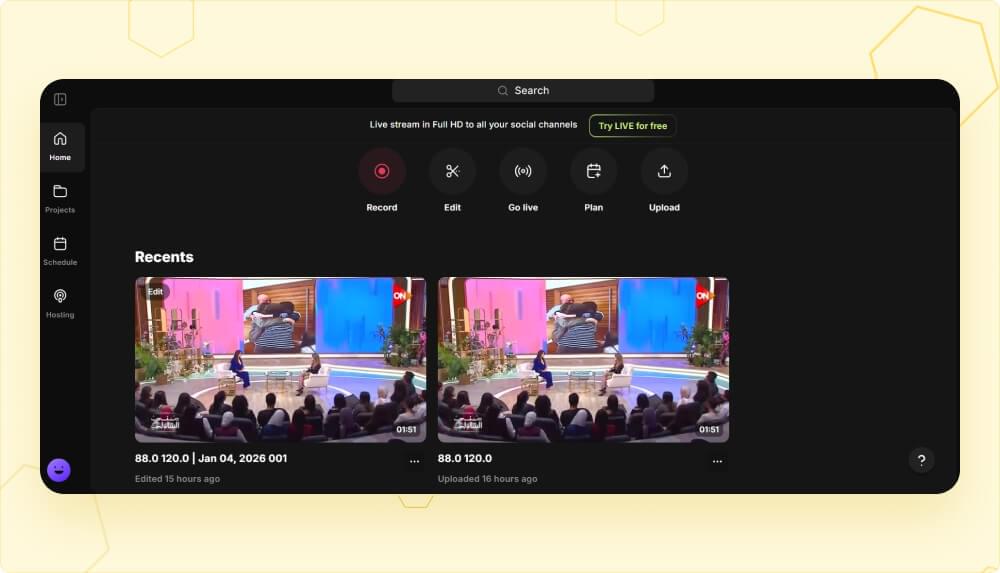
Magic Audio is Riverside’s one-click audio enhancement feature. You can use Magic Audio to removes background noise, fix echo, balance levels, and optimize overall sound quality. You will also find multiple presets in Magic Audio to handle solo recordings, podcasts, and music. Overall, it preserves your original file, but creates a better version of it.
5. Captions and subtitles
Captioning and subtitling are where things get a little challenging. Since Riverside FM’s core features are related to video recording and live transcription, the tool is still relatively newer in the subtitling space and it shows in the results.
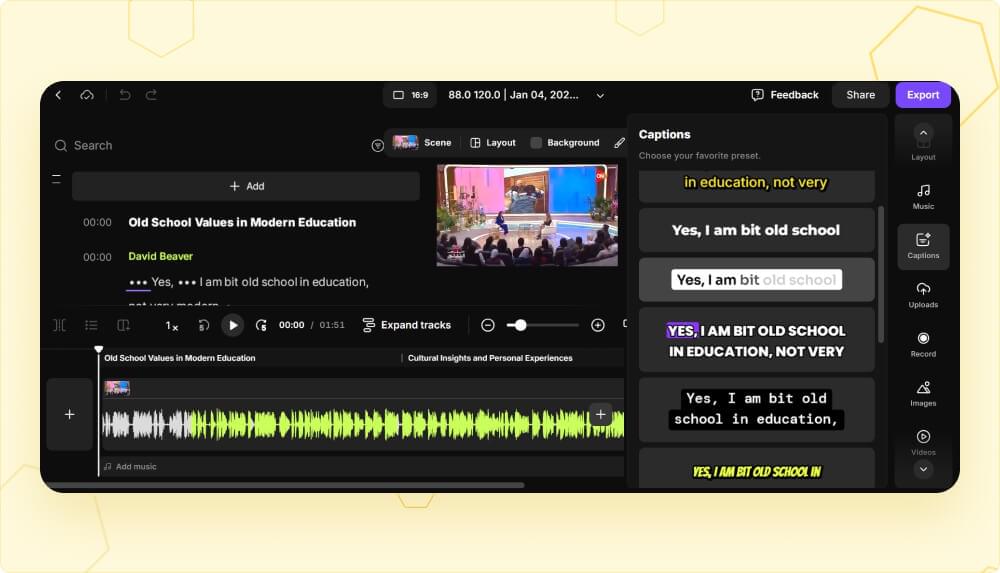
Riverside software can generate captions from your transcript in SRT or VTT formats. You also get multiple options to edit captions and customize them. However, when it comes to auto-sync, you are likely to face a lot of errors, especially for longer videos.
This is why it is recommended that users and creators who need more advanced subtitle customization or support for additional languages should use dedicated subtitle tools to complement Riverside’s other features.
6. Live streaming and multistreaming
Live streaming and multistreaming is another great feature from Riverside FM. It allows users to go live on multiple platforms at the same time. These platforms include YouTube, Facebook, LinkedIn, Instagram, X, and Twitch.
Moreover, the highest full HD streaming at 1080p is supported in Live feature, along with RTMP support for other platforms, and audience engagement tools like live chat and call-ins.
7. AI Co-Creator
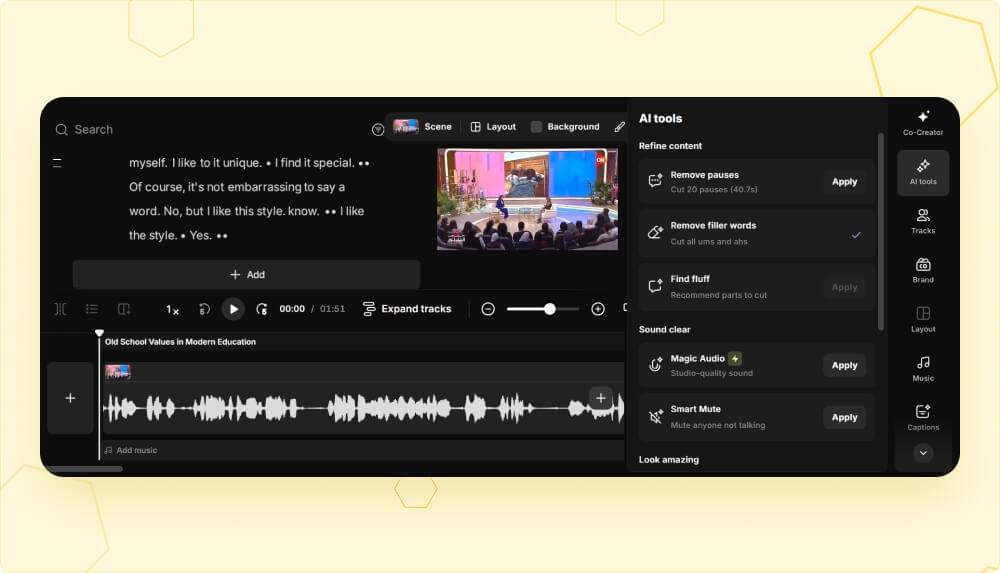
Riverside’s AI Co-Creator is a new feature that can act as your editing assistant. It is useful to automate repetitive tasks like removing silences and filler words from your content. Moreover, the AI Co-Creator feature of Riverside.FM can help adjust layouts and generate show notes.
Riverside FM pricing plans
Riverside offers five different pricing plans to target users and companies with varying budgets. These plans include:
Free plan
A lot of users ask “Is Riverside free?” The answer is that yes, you can get access to Riverside FM’s core functionalities for free, but they come with significant limitations. All of your recordings in the free plan has a Riverside watermark. Plus, you get limited access to features like Magic Clips and transcription, along with only 2 hours of multi-track recording and 720p video quality.
Pro plan - $29/month
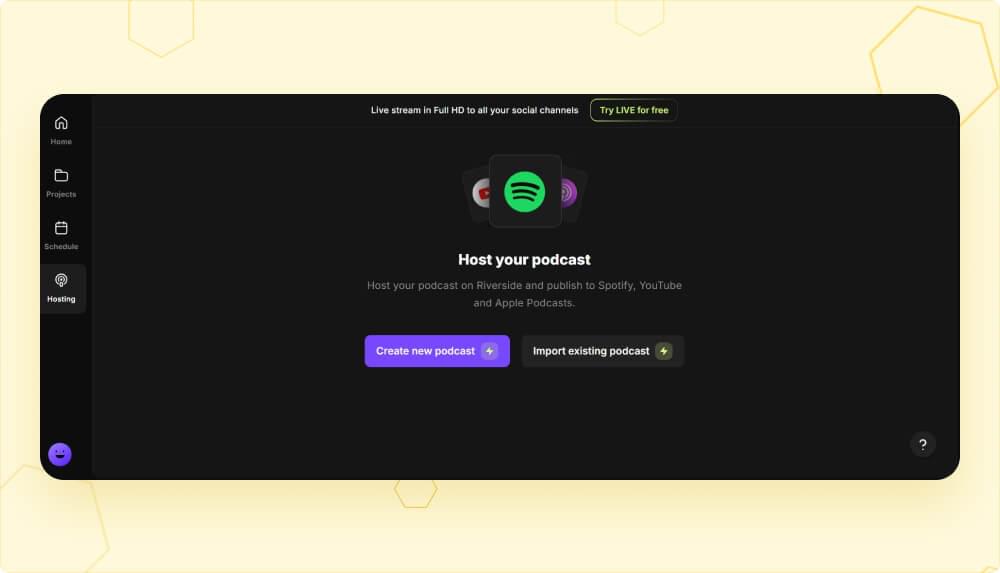
The Pro plan of Riverside FM software is for individual creators who want to get professional-level output. This plan includes 15 hours of multi-track recording per month, 4K video, and no watermark. You also get access to text-based editing, AI tools like Magic Audio and transcription, Magic Clips, show notes generation, and direct publishing features.
Live plan - $39/month
The Live plan adds streaming capabilities to everything in Pro. It allows users to multistream in full HD to multiple social media platforms simultaneously, including YouTube, Facebook, LinkedIn, Instagram, X, and Twitch. Some other features in this plan are omnichat (unified chat across platforms), live audience call-ins, custom overlays, lower thirds, and backstage speaker management.
Webinar plan - $99/month
Riverside’s Webinar plan is for marketers and businesses used to running webinars. It supports up to 100 registrants per event. Additional features like custom branded registration forms, automated email reminders, polls, analytics, and lead capturing tools are available in this plan for advanced users.
Business plan - Custom pricing
The Business plan of Riverside.fm is available for businesses and organizations with advanced requirements, such as unlimited storage, API access, multiple integration options, and dedicated customer success managers. This plan comes with custom pricing.
Is Riverside FM free?
Yes, Riverside offers a free plan. But it comes with significant limitations. Keep in mind that the 2-hour multi-track recording allowance is a one-time allocation, not a monthly refresh. Moreover, the video quality is limited to 720p in the free plan. Moreover, all exports include a Riverside watermark.
Hence, the free plan is only useful for occasional use or testing the platform. If you are planning to record or produce content for a long time, you’ll likely have to buy a paid plan or try out the alternatives.
Who is Riverside FM best for?
Let’s see who exactly can use Riverside FM software:
- Podcasters benefit most from Riverside’s local recording technology. Users who regularly interview guests remotely can rely on the platform to eliminate the quality inconsistencies that plague Zoom or Skype recordings.
- Video producers also benefit from 4K video quality and progressive uploading features. The cloud backups ensure content safety, and the multitrack exports integrate smoothly with professional editing software.
- Marketers can use Riverside for customer testimonials, thought leadership interviews, and video marketing campaigns. The Magic Clips feature, especially, is useful to speed up social media content creation.
- Educators are likely to find value in the webinar features by hosting live sessions and recording and repurposing them into course content.
Pros and cons of Riverside FM
The following table summarizes the key pros and cons of Riverside.fm:
| Pros | Cons |
|---|---|
| Studio-quality recording regardless of internet connection speed and quality. | Occasional sync and freezing issues, as local recording can sometimes disrupt the conversation flow. |
| User-friendly interface that helps both hosts and guests use Riverside.fm easily. | Limited editing features compared to dedicated software, such as limited supported languages for subtitle generation. |
| A wide range of AI features, including Magic Audio, Magic Clips, and automated transcription to save time. | Learning curve for advanced features like live streaming setup, webinar configuration, and advanced editing tools. |
| An all-in-one platform for recording, editing, transcription, clip generation, and distribution in one interface. | Mixed customer support reviews from previous users. |
| Cross-platform availability across web app, Mac desktop, and mobile apps. | A stable internet connection is required to upload 4K files, even though recording happens locally. |
Riverside FM alternatives
Here are some of the top alternatives to Riverside FM software:
1. Descript is an excellent text-based and audio editing software. It is meant for users wanting maximum control over post-production editing and quality.
2. StreamyYard is a Riverside alternative for the live features. It supports real-time broadcasting as well as recorded content across multiple platforms.
3. Squadcast also has local recording technology and is primarily meant for podcasters. However, it does not have advanced video editing and streaming features.
4. Podcastle combines AI-powered editing with competitive pricing to provide content creators, especially podcasters, with access to an all-in-one solution.
5. SubtitleBee is an ideal alternative to Riverside for users who want reliable and advanced subtitle generation, transcription, and translation across 120+ languages. It also supports adding overlay text on video and has advanced caption styling features that go beyond Riverside’s built-in options.
Final verdict: Is Riverside FM worth it?
Overall, this detailed review of Riverside FM shows that the platform definitely delivers on its promise of studio-quality remote recording. Moreover, the AI-powered editing tools of the software are great to save time through an all-in-one interface.
Despite the many benefits, it is important to note that Riverside fm is not a perfect solution for content creators. Usually, you have to complement the tool with additional software like specialized subtitle solutions to ensure you get the best results.
Overall, whichever tool you choose, you should make sure it is capable of fulfilling your requirements. You can always start with a 14-day free trial on such tools to see how they fit into your workflow.
FAQs
What integrations does Riverside FM support?
Riverside can integrate with editing software like Adobe Premiere Pro, Audition, Final Cut Pro, and DaVinci Resolve. It also supports integration with publishing apps like Spotify, Apple Podcasts, YouTube, Transistor, and Castos. Moreover, the Webinar and Business plans also include HubSpot and Salesforce integrations for CRM syncing.
What is Riverside FM used for?
Riverside FM is used to record high-quality podcasts, video interviews, and remote conversations. It’s also used for live streaming to multiple platforms, hosting webinars, and creating short-form clips for social media.
Can I use Riverside for free?
Yes, Riverside offers a free plan with 2 hours of multi-track recording (one-time, not monthly), 720p video quality, and a watermark on exports.
Can I use Riverside on my phone?
Yes, Riverside offers mobile apps for both iOS and Android. You can use Riverside FM through these apps to record, stream, and monitor sessions on your phone. However, the desktop version has more comprehensive features.
Is Riverside FM any good?
Overall, Riverside FM is excellent for remote recording with studio-quality audio and video. Its AI tools and text-based editing are useful to time. However, for specialized tasks like advanced captioning or multi-language subtitles, dedicated software like SubtitleBee performs better.
What is the best alternative to Riverside FM for subtitling?
SubtitleBee is the best alternative for subtitling. It offers AI-powered subtitle generation with 99% accuracy, support for 120+ languages, and advanced styling options that go beyond Riverside’s built-in caption features.



Add and translate your subtitles to more than 100 languages with high accuracy
Our solution
SubtitleBee
Make your video understandable by using SubtitleBee for free
Start now for freeTop Articles

Getting Started with AI-Powered SubtitleBee

3 Effective Ways To Add Subtitles To Video Online Without Watermark

VEED vs. Kapwing: Which Subtitle Generator wins?

Kapwing vs. SubtitleBee: Which subtitling tool should you choose?

5 Top Verbit Alternatives for Transcription