



video tutorials for social media
YouTube Shorts Size, Ratio & Frame Rate: 1080x1920, 9:16
Quick Summary:
YouTube Shorts dimensions: 1080 x 1920 pixels, 9:16 vertical aspect ratio.
Also accepted: square (1:1). Any square or vertical video up to 3 minutes long is categorized as a Short.
Resolution: 1080p. YouTube Help lists 1080p as the maximum upload resolution for Shorts.
Frame rate: upload at the frame rate you recorded in (24, 25, 30, 48, 50 or 60 fps).
Length: up to 3 minutes.
YouTube Shorts now averages over 200 billion daily views, according to YouTube CEO Neal Mohan. Using the right YouTube Shorts aspect ratio is of utmost importance for content creators to get maximum reach and engagement in such a competitive space.
In this article, we will explore the technical specifications of YouTube Shorts in detail, including the recommended aspect ratio, dimensions, resolution, and file limits. So, get familiar with all this vital information and ensure your short-form content does not get lost in the algorithm.
What are YouTube Shorts?
YouTube introduced its Shorts section as an answer to the rising popularity of vertical video content on Instagram Reels and TikTok. Shorts were originally capped at 60 seconds. For videos uploaded on or after October 15, 2024, YouTube categorizes any video with a square or vertical aspect ratio and a length of up to 3 minutes as a Short.
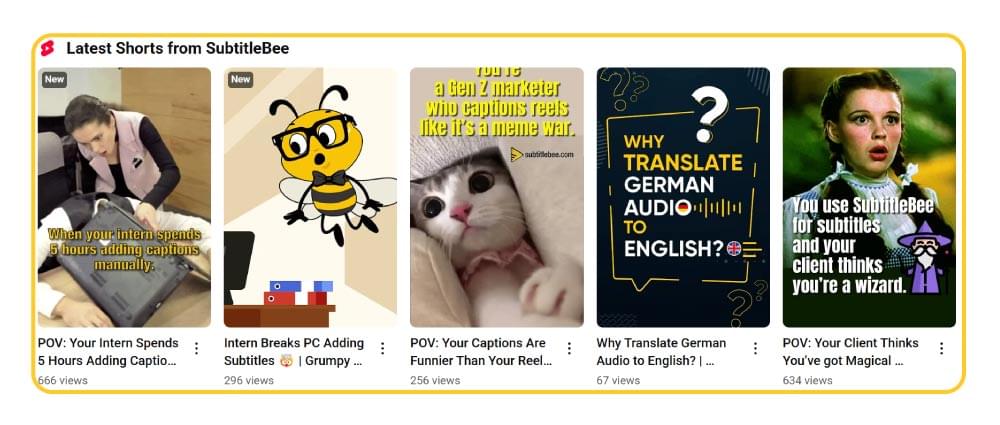
Since YouTube Shorts are in a vertical format, they are primarily designed to be watched on smartphones or tablets. Nevertheless, many users also enjoy watching Shorts on computers and smart TVs. But as a mobile-first content, YouTube Shorts has the ideal aspect ratio of 9:16.
Let’s break this down in detail.
What are the Ideal YouTube Shorts Aspect Ratios and Dimensions?
You need to create your YouTube Shorts content with the right specifications to create engaging and optimized content.
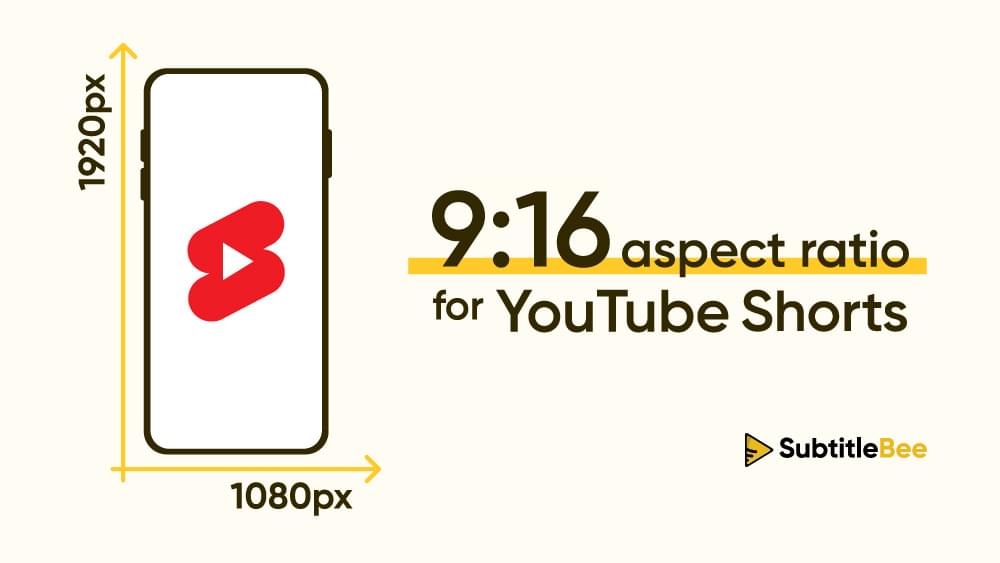
The gold standard for YouTube Shorts dimensions is 1080 x 1920 pixels. It translates to a 9:16 aspect ratio. Such type of vertical format is specifically designed to fill mobile screens completely and provide an immersive experience to the viewers.
So, the next time you are creating content for YouTube Shorts, you should follow these key technical specifications:
| Spec | YouTube Shorts |
|---|---|
| Dimensions | 1080 x 1920 pixels |
| Aspect ratio | 9:16 vertical (square 1:1 is also accepted) |
| Resolution | 1080p (maximum upload resolution for Shorts, per YouTube Help) |
| Frame rate | Same as recorded: 24, 25, 30, 48, 50 or 60 fps |
| Maximum length | 3 minutes |
| Recommended format | MP4 container, H.264 video, AAC-LC audio |
| Bitrate (1080p, SDR) | 8 Mbps at 24, 25 or 30 fps; 12 Mbps at 48, 50 or 60 fps |
| Maximum file size | 256 GB or 12 hours, whichever is less (YouTube’s general upload limit) |
Sources: YouTube Help pages on Shorts, three-minute Shorts, recommended upload encoding settings and upload limits.
What Frame Rate Should YouTube Shorts Be?
YouTube recommends encoding and uploading your video at the same frame rate it was recorded in. Common frame rates are 24, 25, 30, 48, 50 and 60 fps. If you recorded at 30 fps, export at 30 fps; converting to a different frame rate does not add smoothness and can introduce stutter.
Using the Perfect YouTube Shorts Resolution
The ideal resolution for YouTube Shorts videos is 1080 x 1920 pixels (Full HD or 1080p).
YouTube Help notes that you can upload Shorts with a maximum resolution of 1080p. Exporting in 4K therefore only adds file size and upload time, so 1080 x 1920 is the size to export.
Related: 720p vs. 1080p: Which Resolution To Choose?
Why 9:16 is the Right YouTube Shorts Aspect Ratio?
The 9:16 aspect ratio is not limited to YouTube Shorts. It is the ideal aspect ratio for short-form video content that users typically consume by holding their smartphones vertically. Moreover, the 9:16 YouTube Shorts aspect ratio also aligns with user expectations who have gotten used to consuming vertical format content across multiple platforms.
Does YouTube Shorts Support Other Dimensions?
YouTube only categorizes square or vertical videos as Shorts. Anything wider than square is published as a regular video. Here is how the common aspect ratios compare:
| Aspect Ratio | Format Type | Best For | Typical Resolution | Counts as a YouTube Short? |
|---|---|---|---|---|
| 9:16 | Vertical | YouTube Shorts, TikTok, Instagram Reels | 1080 x 1920 pixels | Yes (recommended) |
| 1:1 | Square | Instagram posts, Facebook content | 1080 x 1080 pixels | Yes, but leaves empty space on a vertical screen |
| 16:9 | Landscape | Standard YouTube videos | 1920 x 1080 pixels (1080p) | No, it is published as a regular video |
| 4:3 | Traditional TV | Vintage content | 1440 x 1080 pixels | No, it is published as a regular video |
| 21:9 | Cinematic | Film-style content | 2560 x 1080 pixels | No, it is published as a regular video |
Key Points About the Best YouTube Shorts Aspect Ratio:
- If you are still wondering what the best aspect ratio for YouTube Shorts is, the answer is that vertical format (9:16) is the standard format to ensure optimum performance of your YouTube Shorts.
- Square format (1:1) is accepted as a Short, but it does not fill a vertical phone screen
- Horizontal formats (16:9, 4:3, 21:9) are not categorized as Shorts, so crop them to 9:16 before uploading
Importance of Using the Right YouTube Shorts Resolutions
It is important to understand that following the proper YouTube Shorts dimensions is much more than just technical compliance. It also has a significant impact on your content’s performance and viewer experience.
By implementing the right YouTube Shorts resolution and aspect ratio, you can enjoy the following benefits:
1. Improve Viewer Experience
You get to provide an immersive, full-screen experience to your viewers with the right aspect ratio of 9:16. The right dimensions will fill up the complete mobile screen and eliminate any distractions. On the other hand, videos with incorrect aspect ratios will appear with black bars and will look like they were made by amateurs, leading to poor engagement.
2. Eligibility for the Shorts Feed
The aspect ratio decides whether your video is a Short at all. YouTube categorizes square or vertical videos up to 3 minutes long as Shorts, so a 16:9 video is published as a regular video instead, even if it is only 30 seconds long. Exporting at 9:16 keeps your video eligible for the Shorts feed.
3. Create a Professional Brand Image
Using the best YouTube Shorts dimensions tells the viewers that you are a serious content creator who pays attention to details. It also builds credibility with your audience, encouraging them to engage with your content. This is the reason why professional-looking videos perform much better than videos with sloppy editing or incorrect aspect ratio.
Related: The Ultimate Guide to Branded Video Content Strategy
4. Cross-Platform Compatibility
The focus of this blog is on YouTube Shorts’ aspect ratio, but you should know that the 9:16 aspect ratio is not limited to YouTube. It is the standard aspect ratio of all short-form video platforms.
Hence, if you create YouTube Shorts with the right aspect ratio and dimensions, you can easily repurpose them for other platforms, including TikTok and Instagram Reels, without extensive editing or reformatting. It helps you save a lot of time and maximize the return on your content creation journey.
Related: How to Add Captions to Reels: A Step-by-Step Guide
Bonus Tips: How to Increase YouTube Shorts Engagement?
Creating engaging YouTube Shorts and maximizing their reach is much more than just following technical specifications. The following are the key tips you should follow to boost your Shorts performance:
1. Immediately Hook Your Viewers
Short-form content is typically fast, as viewers often have the habit of scrolling it immediately. So, you need to hook your viewer within the first few seconds of the short video. You can use different compelling hooks, such as:
- Bold statements
- Surprising facts
- Highly appealing or shocking imagery
- Questions to generate curiosity
Also Read: How to Get More Views on YouTube?
2. Optimize Your Content for Mobiles
YouTube Shorts are built for vertical phone screens. So, you must create your videos for YouTube Shorts with small screens in mind:
- Use large and bold fonts for easy readability
- Keep important text away from the edges of your YouTube Shorts dimensions
- Use high contrast colors
- Use dynamic camera movements to maintain interest
- Test your content on a mobile device before publishing
3. Add Captions and Subtitles to YouTube Shorts
Many people watch YouTube Shorts on mute, especially in public areas. So, you should add captions to your videos and make them accessible to a large audience. The best part is that adding subtitles is easier than ever before with a platform like SubtitleBee.
You don’t have to hire any expensive subtitling services or do anything manually. Instead, you just have to upload your Shorts video to SubtitleBee and let its powerful AI algorithms add captions to your content and also sync it with maximum accuracy.
You can further edit the subtitles to enhance their quality. For example, you should use fonts and colors that contrast well with your background. Similarly, the captions should be concise and synced well for easy readability.
The following video shows how you can use SubtitleBee to caption your videos, including YouTube Shorts:
Also Read: How to Add Captions and Subtitles to YouTube Shorts?
4. Repurpose and Crop Existing Content
You don’t have to limit yourself to creating content for YouTube Shorts from scratch. Instead, you can maximize your ROI by repurposing existing videos into the ideal YouTube Shorts aspect ratio. SubtitleBee can help you in this regard.
You just have to upload your video and use the crop option.
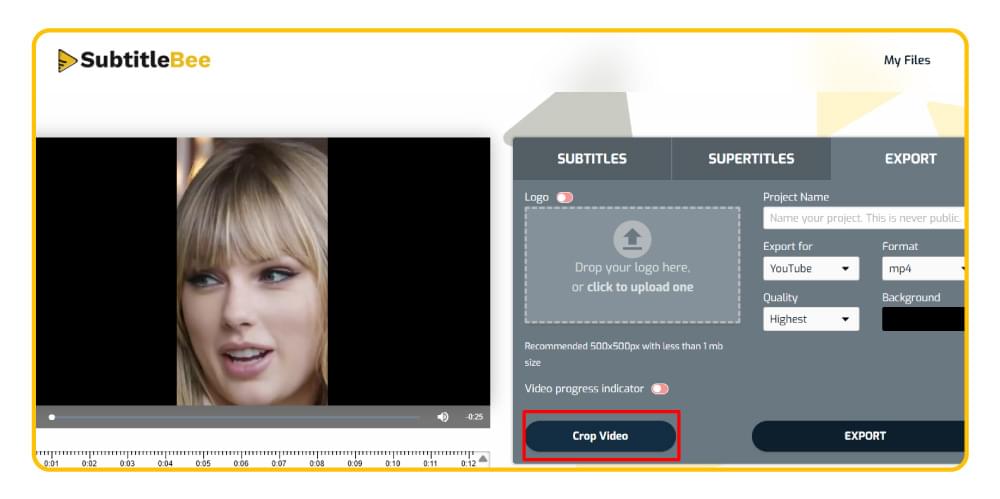
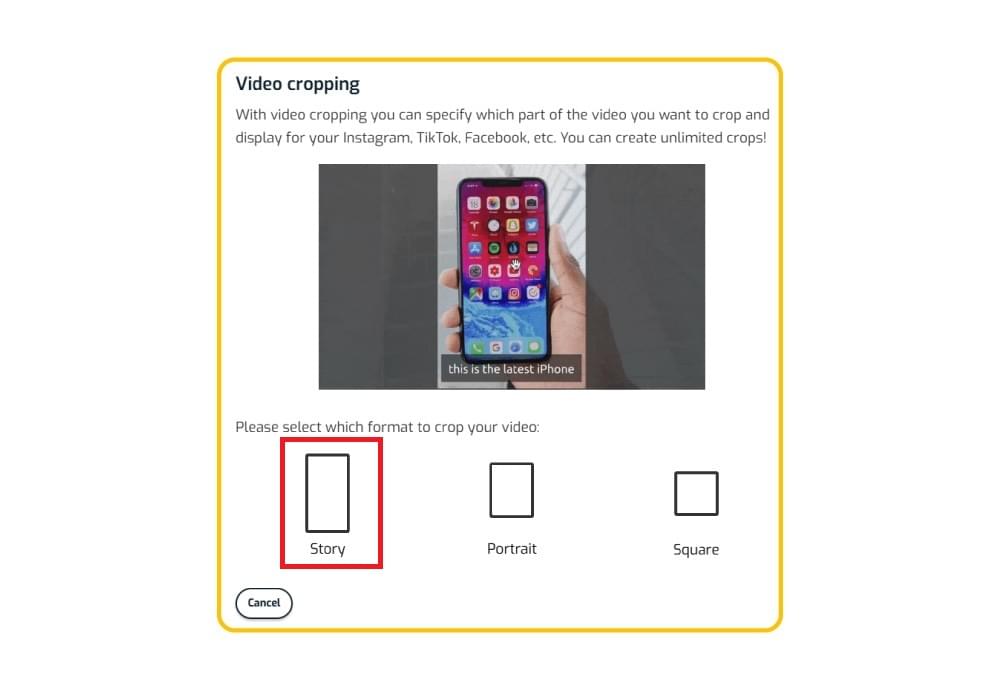
Select the Story option as it applies the 9:16 aspect ratio automatically. Moreover, you can also manually adjust the cropped area to highlight the important section of the original video.
This strategy can be highly useful in different situations, such as converting podcast clips into YouTube Shorts videos or creating multiple Shorts from a long-form video.
Conclusion
Knowing about these YouTube Shorts’ aspect ratios and dimension specifications is important to being a successful content creator. Ultimately, using the right 9:16 vertical format with 1080 x 1920 pixels is the key to maximizing your reach and engagement on YouTube Shorts.
As short-form content continues to become popular, you should focus on combining proper dimensions with the right storytelling techniques and optimizing your content with additional resources, such as subtitles, to create a successful YouTube Shorts strategy.
Also Read: YouTube Video Size: Ideal Ratios and Dimensions
FAQs
What aspect ratio is YouTube Shorts?
YouTube Shorts use a 9:16 aspect ratio. It is the vertical format optimized for mobile viewing. It is also the ideal aspect ratio for other short-form content on platforms like TikTok and Instagram, as it fills the entire mobile screen without black bars.
What is a good like-to-view ratio on YouTube Shorts?
YouTube does not publish an official benchmark for the like-to-view ratio on Shorts, and it varies by niche and audience. Since March 31, 2025, YouTube counts a Shorts view each time a Short starts to play or replay, so ratios on newer Shorts can look lower than on older ones. Compare each Short against your own channel average instead of a fixed number.
What are the best YouTube Shorts dimensions?
The best YouTube Shorts dimensions are 1080 x 1920 pixels with a 9:16 aspect ratio. These dimensions ensure the best video quality while keeping your file size small.
What resolution is YouTube Shorts?
YouTube Shorts resolution should be 1080p (1080 x 1920 pixels). YouTube Help lists 1080p as the maximum resolution for uploaded Shorts, so there is no benefit in exporting at a higher resolution.
What frame rate should YouTube Shorts be?
Use the frame rate you recorded in. YouTube recommends uploading at the original frame rate, and common options are 24, 25, 30, 48, 50 and 60 fps.
How long can YouTube Shorts be?
YouTube Shorts can be up to 3 minutes long. The limit used to be 60 seconds; videos uploaded on or after October 15, 2024 with a square or vertical aspect ratio and a length of up to 3 minutes are categorized as Shorts.
Can I upload horizontal videos as YouTube Shorts?
No. YouTube only categorizes square or vertical videos as Shorts, so a horizontal (16:9) video is published as a regular video. Crop it to 9:16 (or 1:1) before uploading if you want it to appear as a Short.



Add and translate your subtitles to more than 100 languages with high accuracy
Our solution
SubtitleBee
Make your video understandable by using SubtitleBee for free
Start now for freeTop Articles

Getting Started with AI-Powered SubtitleBee

3 Effective Ways To Add Subtitles To Video Online Without Watermark

VEED vs. Kapwing: Which Subtitle Generator wins?

Kapwing vs. SubtitleBee: Which subtitling tool should you choose?

5 Top Verbit Alternatives for Transcription