


video tutorials for social media
How to Italicize Instagram Captions?
Instagram is a visual platform, so what you write and how you style is of utmost importance. If you want to emphasize your text or captions, you should learn how to italicize on Instagram to ensure your captions stand out and appear more professional.
However, there’s one major issue. Instagram does not support native italic formatting.
So, you need to rely on a third-party tool to italicize text on Instagram. A lot of content creators use Unicode text generators or go through the hassle of copying styled captions from other apps and pasting them to Instagram.
But a much better, cleaner, and faster way to italicize Instagram captions is through SubtitleBee, a professional caption generator and editor.
In this guide, we’ll learn how you can use SubtitleBee to style Instagram captions as well as text on your videos with simple bold, underlined, or italic toggles.
Why SubtitleBee?
No doubt there are many different video editors and text formatters available to italicize Instagram captions. But we are going to focus on SubtitleBee because it is a highly user-friendly and reliable platform for styling Instagram captions with built-in features.
With SubtitleBee, you preview and export your content in Instagram-ready formats, including:
- Instagram Carousel
- Instagram Square
- Instagram Portrait
- Instagram Landscape
- Instagram Stories
So, you can easily style your captions, including italics, before uploading to Instagram. You can add captions/text, style it, and export in Instagram-ready format directly from the same dashboard.
The overall steps involved in italicizing Instagram captions using SubtitleBee involves a few simple steps:
- Upload your video
- Add on-screen captions
- Toggle italic text formatting
- Modify your font, size, color. and placement.
- Preview and export your video in perfect dimensions suitable for different Instagram posts.
This smooth workflow eliminates the need of additional editing apps, overcome the Instagram’s limited editing capabilities, and help you avoid complicated online italic text generators.
Let’s discuss the process of italicizing Instagram captions with a step-by-step guide.
How to Italicize Captions on Instagram Using SubtitleBee?
Follow these steps to style your Instagram captions exactly the way you want, such as italicized text:
Step 1: Register on SubtitleBee
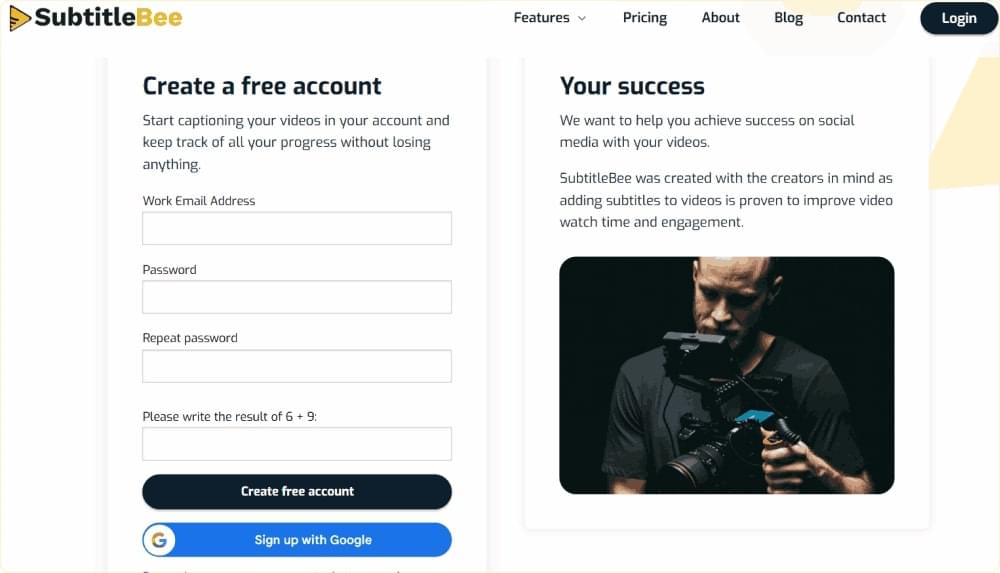
Open the SubtitleBee website and choose to create a new account. You can also sign-up with your Google account to save time.
Step 2: Log in to your Account
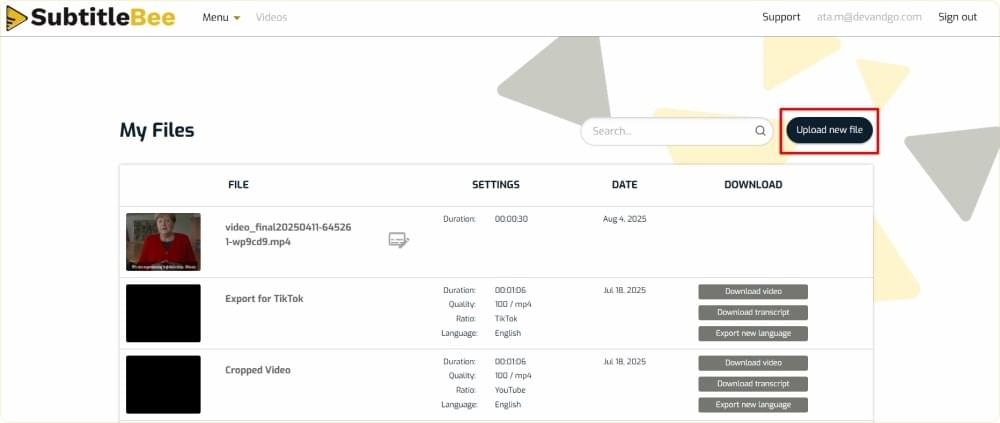
Verify your email and log in to access the dashboard. Choose to Upload new file.
Step 3: Choose Media Language
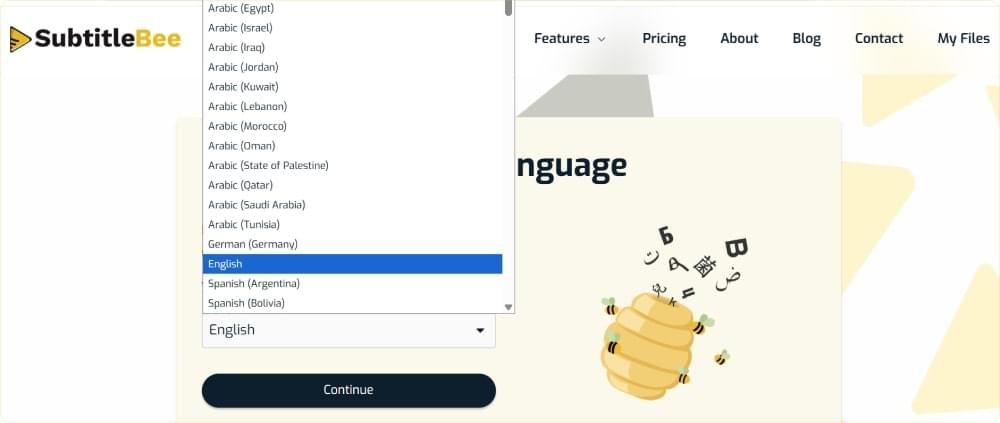
Select the media language of the Instagram video you want to caption or add text to. This will help SubtitleBee’s AI algorithm in properly analyzing the video.
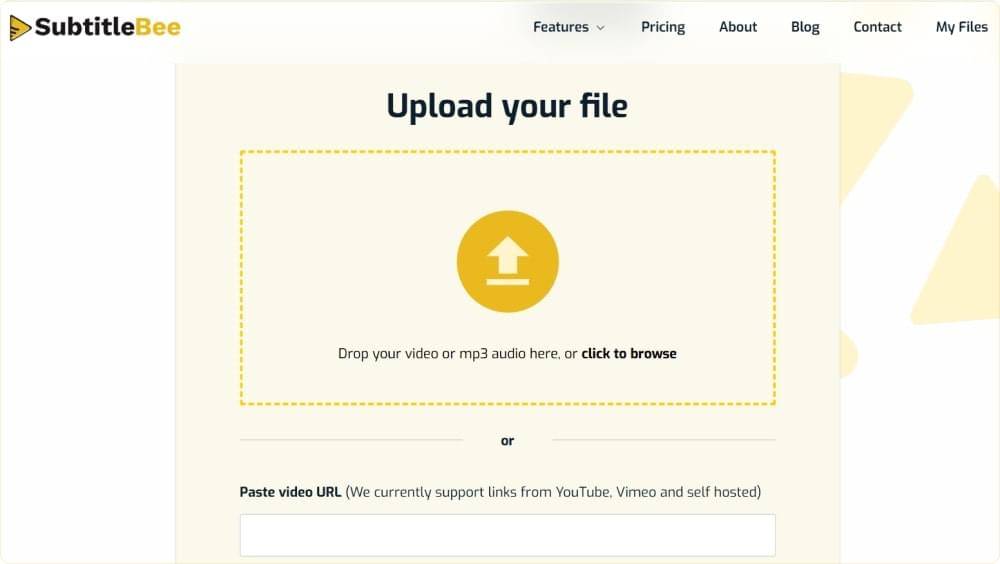
Step 4: Upload your Video
You can upload your video file by drag-and-drop from your computer or paste the video URL from Vimeo, YouTube, or a self-hosted platform.
Step 5: Edit Captions
SubtitleBee will automatically generate the captions of your uploaded video. In order to italicize them, click on the Edit Subtitles Styles.

Step 6: Italicize Your Instagram Captions
SubtitleBee has a lot of different options to help you style your captions and text on videos. These options include changing the color of your caption, adding background, modifying position, font, etc. When you want to italicize your captions, simply enable the Italic toggle.
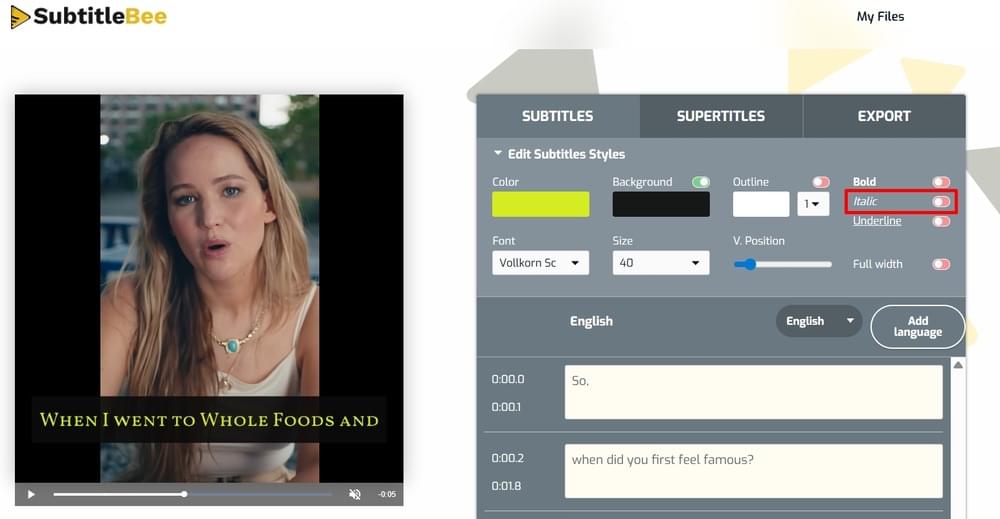
Your captions will be italicized as soon as you enable the italic toggle.

Ta-da!
These quick and simple steps help you in adding italicized captions to your Instagram videos.
Bonus Tip: Add Italic Text to Your Instagram Videos
Other than adding subtitles or captions, you can also use SubtitleBee to add text anywhere on your video using the “Supertitles” feature. All you have to do is click on the Supertitles tab and choose to create supertitle.
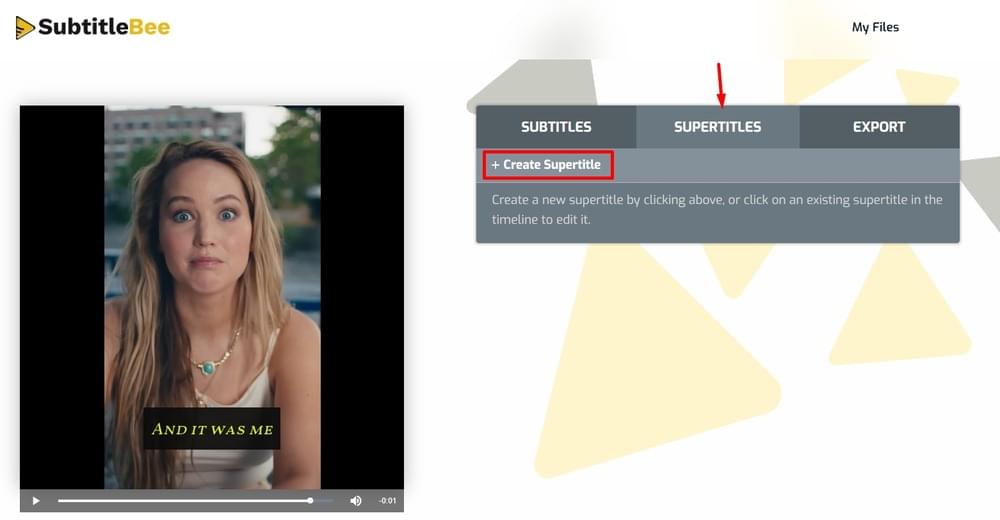
You can easily write text on your Instagram video and style it as per your requirements. Similar to captions, you can enable the Italic toggle to make the text italicized. You can also adjust the text’s position to ensure you can write italicized text anywhere you want on your Instagram video.
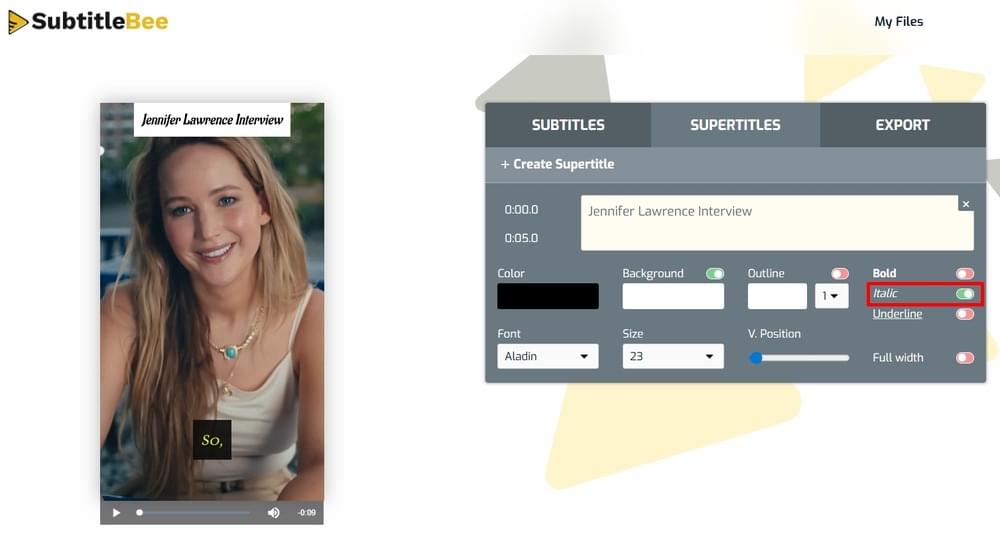
Once you are done adding italicized captions and text on your video, you can save it to your computer via the Export option. You can easily preview and save your video in different formats, including Instagram carousel, square, portrait, landscape, and Stories.

Conclusion
The bottom line is that if you are learning how to italicize on Instagram or use italic Instagram captions, then SubtitleBee offers the easiest and quickest solution. It eliminates the need of multiple third-party apps, complex Unicode fonts, and last-minute Instagram edits.
Most importantly, even if you want to make the Instagram text bold, underlines, or add any other style element, you can do it from the same interface of SubtitleBee.
So, start styling your Instagram captions with SubtitleBee for free!



Add and translate your subtitles to more than 100 languages with high accuracy
Our solution
SubtitleBee
Make your video understandable by using SubtitleBee for free
Start now for freeTop Articles

Getting Started with AI-Powered SubtitleBee

3 Effective Ways To Add Subtitles To Video Online Without Watermark

VEED vs. Kapwing: Which Subtitle Generator wins?

Kapwing vs. SubtitleBee: Which subtitling tool should you choose?

5 Top Verbit Alternatives for Transcription