



video tutorials for social media
How to transcribe a TikTok video to text
Have you ever seen a TikTok clip and been frustrated at the thought that you can’t capture all of the spoken words from it as text? If you plan to edit the content or add subtitles, among other things, you can transcribe a TikTok video in minutes.
Short clips are hard to listen to and follow, especially since many people watch videos without audio. TikTok is also one of the biggest video platforms in the world: according to DataReportal, TikTok’s ad reach stood at 2.21 billion users at the start of April 2026, third among social platforms behind YouTube and Facebook. In a survey of 5,616 US consumers by Verizon Media and Publicis Media, 69% said they watch video with the sound off in public places (cited in this 2024 peer-reviewed study). Therefore, a TikTok transcript will help with subtitles, accessibility, SEO, and reusing content for publishing wherever you choose.
Fortunately, you don’t have to write down anything manually anymore, thanks to tools like SubtitleBee, which can automatically transcribe a TikTok video in minutes. This AI-powered technology will not only save you time but also translate the transcription into more than 100 languages.
In this article, we’ll look at how to transcribe a TikTok video in several ways, such as with built-in TikTok features, transcription software, and other options online, like TikTok transcript generator services. Plus, you’ll find out everything else to do after transcribing your TikTok video.
Can you transcribe a TikTok video?
Absolutely. The process of transcribing a TikTok video to text is fast and most often free. Advanced transcribing software listens to your recording and transcribes each spoken phrase into plain text, usually with the ability to modify or save the resulting timestamps.
There are three popular approaches to achieve this task. One can use TikTok’s own captions feature, upload a video to a specialized transcription service, or insert a URL into a transcription service for TikToks. Each method works better for a particular purpose, which will be discussed further on.
For users who make their own videos, the most versatile way is to transcribe their recordings using professional software so that the resulting transcript can be edited or translated. It is exactly where uploading becomes a better option.
Why transcribe your TikTok videos?
The purpose of an immaculate TikTok video transcript transcends beyond simply sparing yourself another viewing of the same video. Below are some reasons why people use transcription services on their TikTok videos.
Accessibility
A transcript and accurate captioning help make your videos accessible to people that are deaf or hearing impaired. For more information on why this should be a priority for content creators and marketers, check out how subtitles benefit the deaf and hard of hearing.
Content Repurposing
Easily turn one TikTok into a blog post, newsletter article, a tweet thread, or even YouTube videos description without having to rewrite it from scratch. Transcription is the first step to a content repurposing workflow.
Increased Engagement
Captions help viewers stay with your video. In the same Verizon Media and Publicis Media survey, 80% of consumers said they are more likely to watch an entire video when captions are available, and 50% said captions matter because they watch videos with the sound off.
SEO & Searchability
Adding text makes content searchable via both humans and AI algorithms that use search engines like Google.
Translation
After translating your audio to text, you’ll find translation much easier and simpler.
In summary, when you transcribe TikTok video to text, you change fast-paced content into something digestible and shareable.
Method 1: How to transcribe a TikTok video with TikTok’s built-in captions
TikTok allows users to utilize the built-in captioning function that transcribes the voice of the speaker into on-screen texts through an audio-to-text function. TikTok introduced auto captions in April 2021, and according to TikTok’s announcement, creators can edit the generated text before posting and viewers can turn captions off. This is the fastest approach if you only need basic captions for a video post.
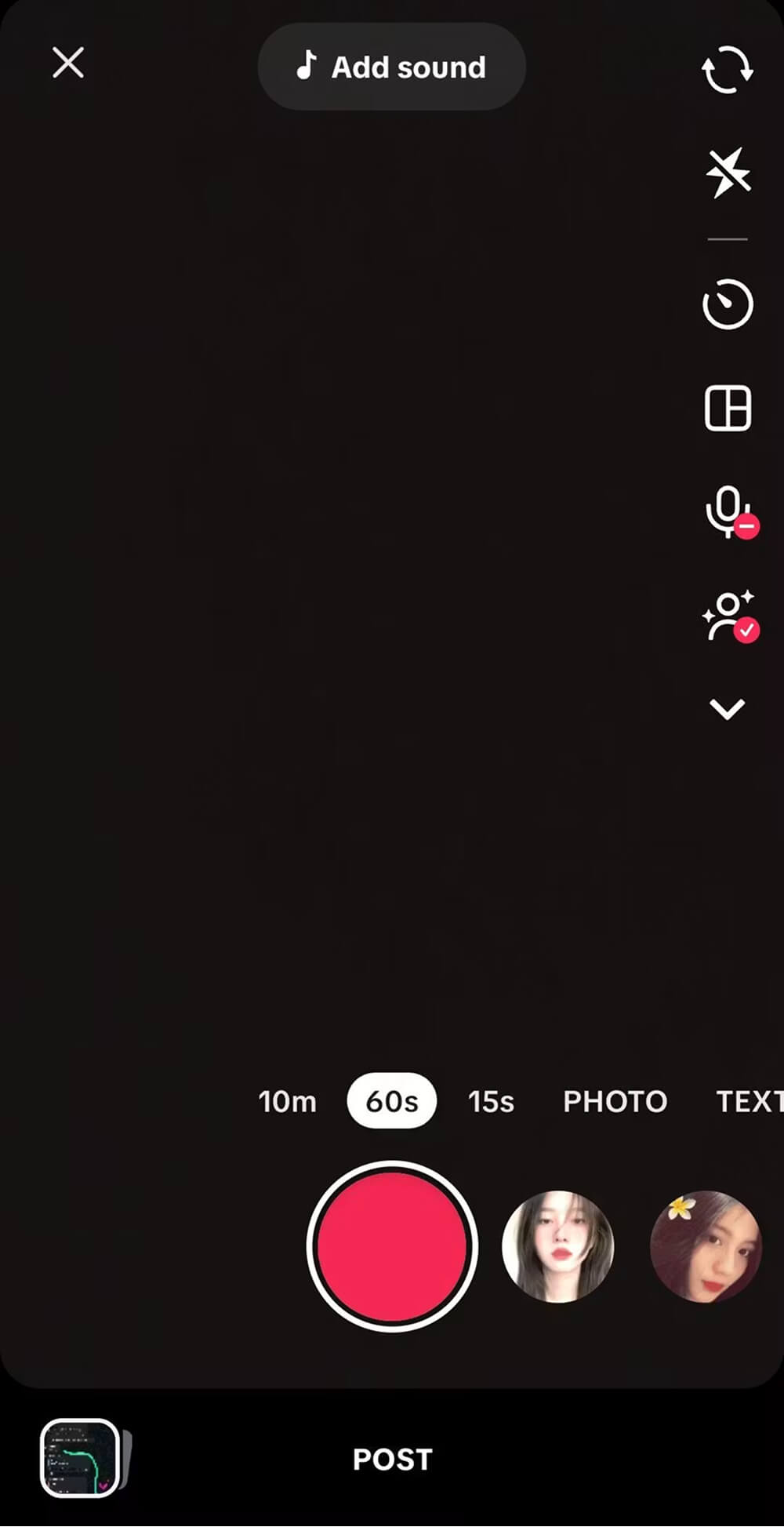
Step 1: Post your video
Go to TikTok and press the + button where you can choose to either shoot a video or upload one.
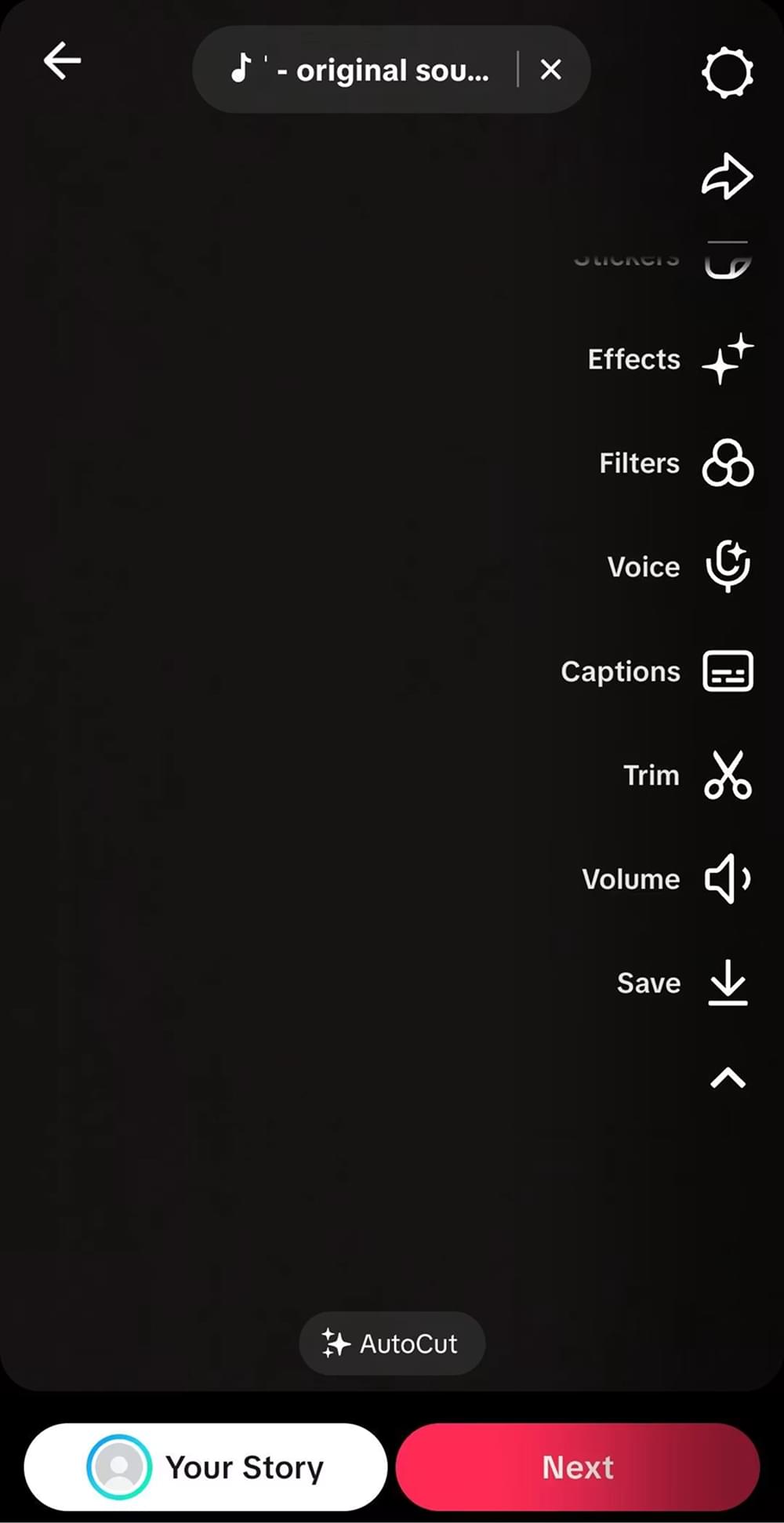
Step 2: Access the captions feature
Press the Captions button from the sidebar menu where the system will create captions based on audio text.
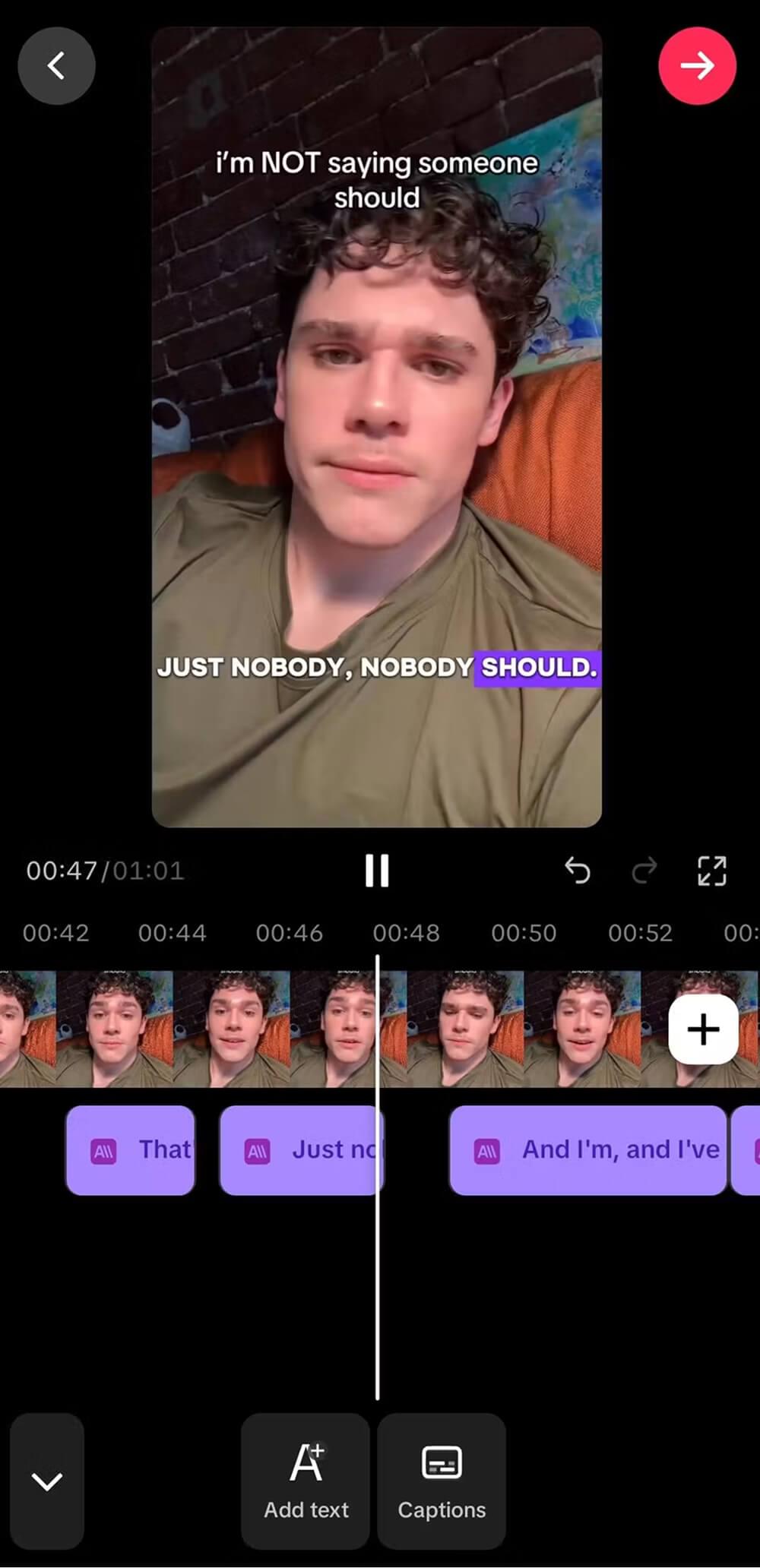
Step 3: Review and Edit your text
Press on any caption to correct errors related to mishearing, spelling, and name issues. Correct editing is important as the system doesn’t produce flawless texts. It’s possible to edit captions on TikTok manually using the app prior to publishing.
Step 4: Share your video
If the text is corrected, save it and share. Users will be able to turn on captions on TikTok within their account settings.
Pros and cons
The process is very easy, yet there are some downsides: texts are embedded into the video, it’s not easy to download the full transcript, and it’s hard to translate. If you want to have more control, try add captions to TikTok correctly or use one of the alternative solutions mentioned above.
Method 2: How to transcribe a TikTok video with SubtitleBee
For a TikTok transcript that you could edit, export, and even translate into subtitles, upload-based tools are best for you. SubtitleBee, for instance, is a state-of-the-art audio transcription and subtitle generation platform that works by uploading a video. It transcribes over 60 languages and translates into more than 100.
The reason for opting for SubtitleBee is that it uses the upload option. As such, the first step would be to save the TikTok to your device before uploading it. Below are the steps on how to upload a TikTok video to SubtitleBee.
The following video summarizes the process of how to subtitle and transcribe a TikTok video with SubtitleBee:
Let’s look at each of these steps in detail.
Step 1: Save your TikTok video
Navigate to your TikTok video and click on Share, then Save video to save your clip to your device. Alternatively, if you made the video yourself, just save/export it to your device from your camera roll.
Step 2: Upload the video on SubtitleBee
Click on the SubtitleBee upload page, and upload your video file. The platform allows for standard video file types, which means you don’t need to convert the video at all.
Step 3: Pick your language and have the text generated
Pick the language that is used in your video and proceed to having the AI do the transcription for you. The process will take only minutes to produce accurate TikTok videos to text conversion thanks to SubtitleBee.
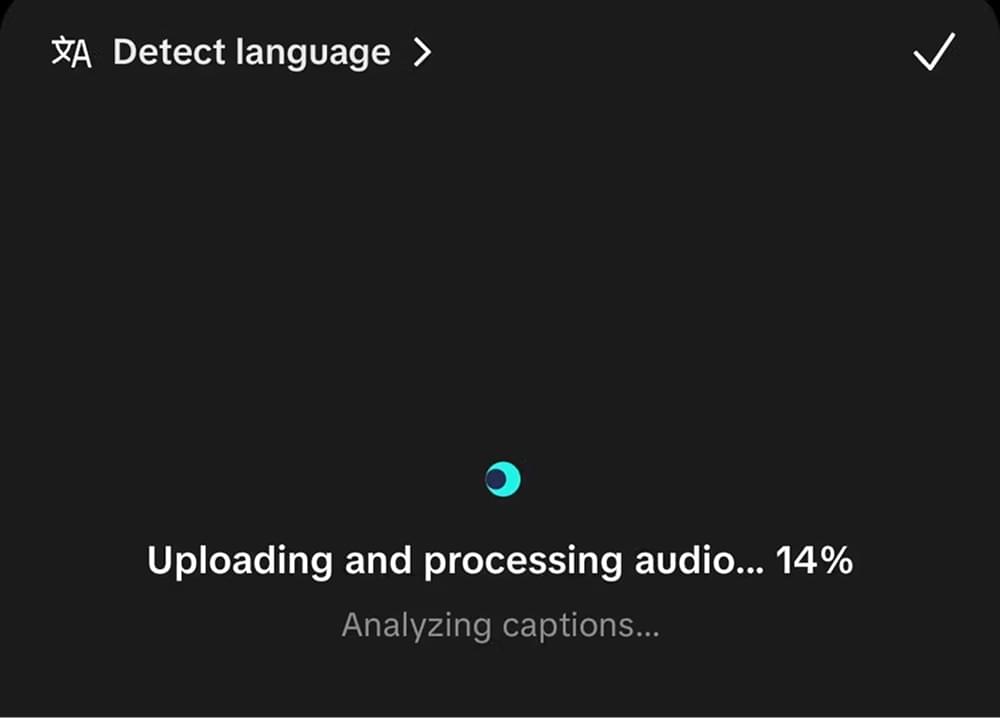
Step 4: Edit the text
Proceed to reviewing the text with the help of the editor. Correct any slang, proper names, or phrases that were difficult to understand. It will only take minutes for editing, as the bulk of work was already done by the AI.
Step 5: Translation and export
Is it necessary to translate your text? Go for the subtitle translation feature to make sure it is available in one of more than 100 languages. Once done, simply export the transcript or download styled and burned-in subtitles for re-posting.
The advantage of using this technique is that everything can be done in one place: transcription, captioning, translation, and exporting. In case of frequent video transcription needs, this technique will work much better than using just the app.
Read about all the steps here in our guide on the Quick and Easy Way to Transcribe Video to Text in 5 Minutes.
Start transcribing for free and discover how easily your TikTok becomes text!
Method 3: Use an online TikTok transcript generator
An online TikTok transcript creator can come handy if you only want to view or extract the text from your clip without any editing or translating. These services will transcribe the audio into text, and some of them even have a free version.
Step 1: Prepare your video
The vast majority of online services give users the opportunity to either upload their clips or provide a link to the video. So get your clip ready.
Step 2: Transcribe the video
Upload your video, pick the correct audio language, and hit the button. Your service will transcribe your clip within a minute.
Step 3: Copy the transcript
Now that the transcription is complete, you can either copy the text or save it in a file format. You will have obtained a basic version of TikTok video transcript for your use.
This is the quickest method to get a transcript of a TikTok video for free but with certain limitations because the process will be less accurate than using an actual transcription software program. When doing your own transcriptions, the best method is always the uploading method.
Also read: Transcribing video to text: the complete guide
This process can easily be replicated if you post videos on other platforms too. You can find instructions in our guide titled How to get the transcript of a YouTube video.
What to do with your TikTok transcript
Turn It Into Other Content
Use the transcript as the base for a blog post, email, carousel or thread, so you do not have to rewrite your ideas from scratch.
Add Accurate Captions to Your Videos
With a corrected transcript, you can add subtitles to TikTok videos that muted viewers can follow.
Translate It for New Audiences
Translate the transcript into other languages to reach viewers in other markets. SubtitleBee supports 100+ languages for translation.
Write Better Captions and Descriptions
Pull key phrases from the transcript into your post text. For inspiration, see our list of TikTok caption ideas.
Make Your Content Easier to Find
Publishing the transcript gives search engines and AI tools text to index, which can help your content show up in searches and summaries. For more growth tactics, read 11 ways to get more views on TikTok.
Build a Content Library
Save your transcripts in one place so you can search your old videos and reuse your best lines later.
Tips for more accurate transcriptions
- Ensure good audio quality: Try to minimize background noise or music that could interfere with AI transcription of every word said by speakers.
- Keep a steady pace: Rapid speech or overlaps will be much harder for transcription in any service, including TikTok.
- Choose a proper language option: Never forget to adjust language settings before starting a transcription to avoid mistakes.
- Always revise the text: The software used might work perfectly well but fail to recognize certain slang or names. Take some time to improve the text.
- Work with a proper transcription service: Transcriptions intended for further translation or adding captions require editing options.
Frequently asked questions
Can I get a transcription of my TikTok video?
Yes, using TikTok’s automatic captioning option, a transcript generator online, or a tool like SubtitleBee, among others, will help you generate a transcript.
Is there any free TikTok video-to-text transcription tool?
Yes, there are some free tools available. There are many online platforms which provide users with free versions for transcribing videos from TikTok. However, if users want more accurate results along with editing and translation capabilities, they can try out a specialized platform called SubtitleBee.
How accurate are TikTok transcriptions?
The accuracy level of the generated transcript relies on the sound quality and the tool being used.
How accurate is the transcription of videos on TikTok?
The precision varies based on the quality of the audio and the type of transcription tool used. The clearest audio recordings without much background noise yield the most precise transcriptions. Whichever tool you use, review the transcript and correct names and slang before publishing.
Could I translate a TikTok transcript to another language?
Sure. You have translated your transcript already, and now you can translate it further. SubtitleBee offers subtitle generation in 60+ languages for transcription and 100+ for translation, so you can translate your TikToks all over the world from one uploaded file.
Conclusion
Learning how to transcribe a TikTok video is about more than copying text. Transcribed text is used to create captions, make the content more accessible, enable translations, improve SEO, and repurpose the content elsewhere.
There are three main options available to you in terms of transcription – captions within the TikTok app for quick work, an online transcript generator for text transcriptions of TikTok videos, or uploading the file on one of many platforms that offer more advanced services. The latter would be your best bet if working on your videos.
SubtitleBee offers the quickest way to transcribe TikToks. It transcribes the audio into text fast and translates it into 100+ languages right away. Get started for free and transcribe your next TikTok in just a few clicks.



Add and translate your subtitles to more than 100 languages with high accuracy
Our solution
SubtitleBee
Make your video understandable by using SubtitleBee for free
Start now for freeTop Articles

Getting Started with AI-Powered SubtitleBee

3 Effective Ways To Add Subtitles To Video Online Without Watermark
VEED vs. Kapwing: Which Subtitle Generator wins?
Kapwing vs. SubtitleBee: Which subtitling tool should you choose?

5 Top Verbit Alternatives for Transcription